
 HOME
HOME
ID : 1711
Continuous Start
Set speed, acceleration and deceleration before executing continuous start operation.
Operation Procedures
1
Set operating mode switch to [AUTO].
2
Press [F1 Program].
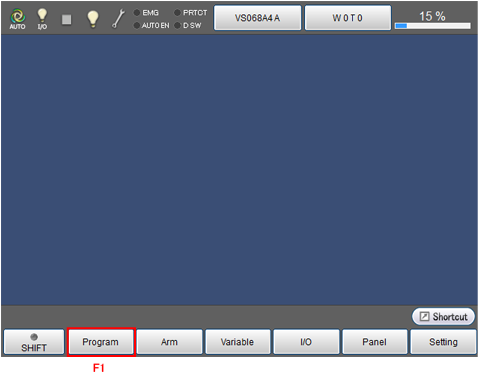
Display [Programs] window shown in the next step.
3
Select the program to start by using cursor key or jog dial, or by directly touching the screen.
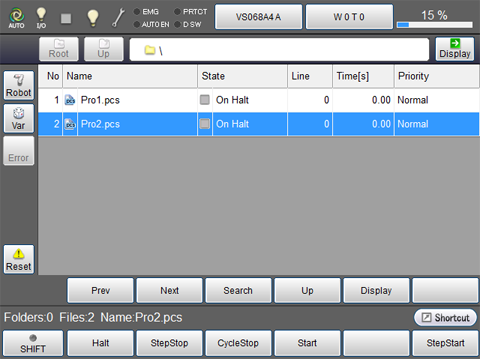
The selected program will be highlighted.
4
Press [OK] while pressing the deadman switch on teach pendant to turn on the motor.
The [MOTOR] lamp turns on.Motor cannot be turned on when the deadman switch is not pressed.
5
Make sure that the selected program is highlighted, and press [F4 Start].

The system message as shown in the next step will be displayed.
6
Select [Continuously] by using cursor key or jog dial, or by directly touching the screen, and press [OK].
Continuous start will be started.
During program running, always keep one hand free and ready to press the STOP key.

ID : 1711