
 HOME
HOME
ID : 4897
Getting Extended-Joint Positions
Get the positions of extended-joints into J-type variables and P-type variables joint by joint.
This feature enables the robot controller to get the current positions of extended-joints in conjunction with those of robot joints into variables. It is useful in teaching for the concurrent drive of extended-joints or the drive of extended-joints in conjunction with robot joints, as programmed below.
- Program Example
DriveA (J0)
Move P,P0 ExA (J0)
When you obtain the target position with a teach pendant, setting the same variable number for P-type variable (robot joints) and J-type variable (extended-joints) will enable you to obtain the both variable values at the same time.
Getting The Variables
1
Set the arm group.
Operation path: Top screen-[F2 Arm]-[F12 Maintenance]-[F10 Joint Settings]-[F1 ArmGroup]
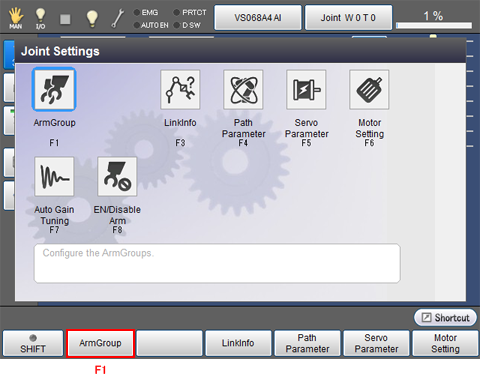
Arm Group setting window appears.
2
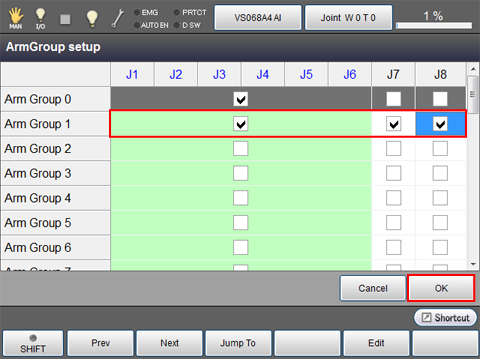
Check the joint number that you intend to configure.
The example below sets J1 to J6 and J7, J8 to the Arm group 1.
Once arm group setting is completed, press [OK].
3
Restart the controller.
4
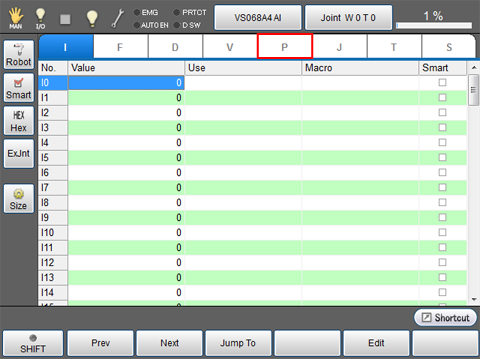
Top screen - [F3 Variables] - [P-type variables]
5
Click [ExJnt]
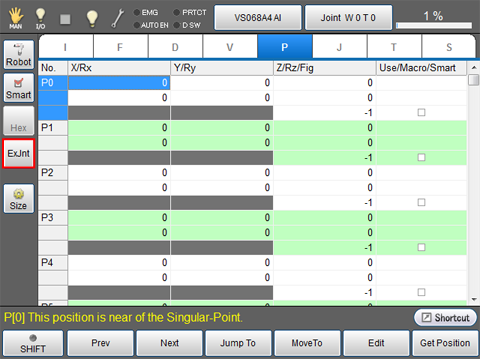
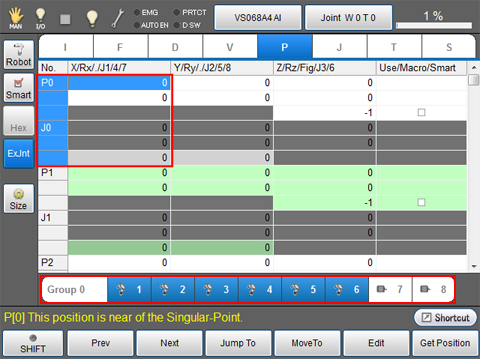
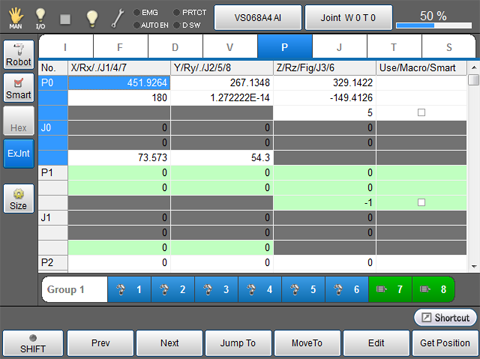
The display changes as follows.
- The display of the [No] column is changed. ("P0, P1, P2..." into "P0,J0,P1...")
- Values of P-type variables and J-type variables are displayed in one table.
- [Arm Group] bar is displayed on the bottom of the screen.
6
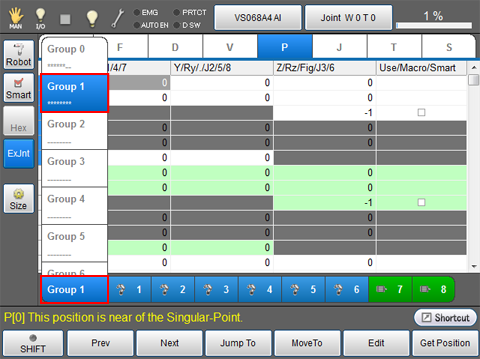
Press [Group 0] to display a list of Arm group.
Select an arm group number that you intend to use.
In this example, "Group 1" is selected.
7
Move the robot and extended-joint to the position desired.
8
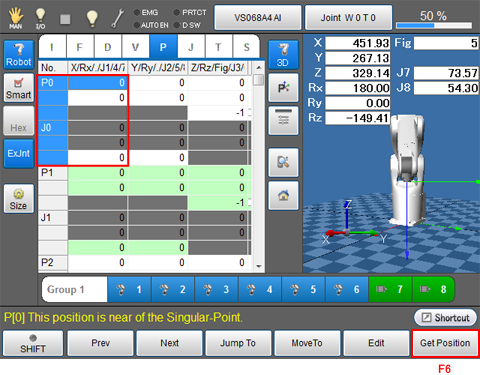
Select a variable to obtain position data, then press [F6 Get Position].
In this example, P0/J0 is selected.
9
System message is displayed to confirm whether to obtain the variable data. Press [OK] to intake.
Variable data is not obtained if [Cancel] is pressed.
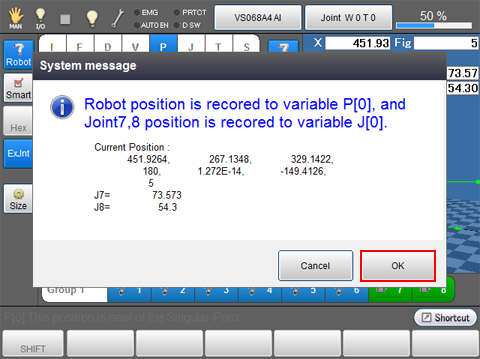
Variables obtained are displayed as follows.
ID : 4897