
 HOME
HOME
ID : 5459
Replacing the Encoder Backup Battery
Replace the encoder backup battery according to the procedure below.
1
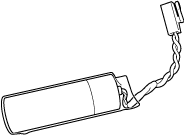
Prepare a new set of 3 backup batteries for replacement.
2
Turn the controller power OFF.
3
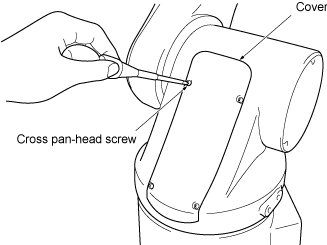
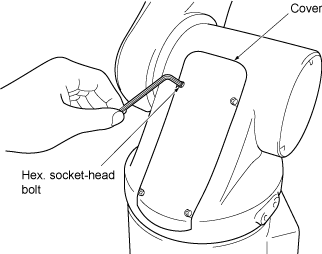
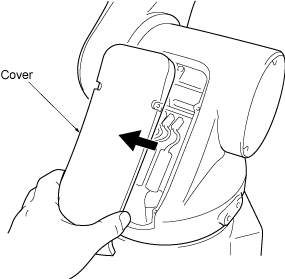
Remove the cover from the robot unit.
-
Standard type
-
Dust-proof & splash-proof type
4
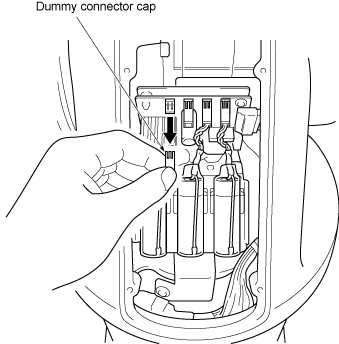
Remove the dummy connector cap from the battery board.
5
Connect a new battery (1st one) to the pin from which you have disconnected the dummy connector cap in Step 4.
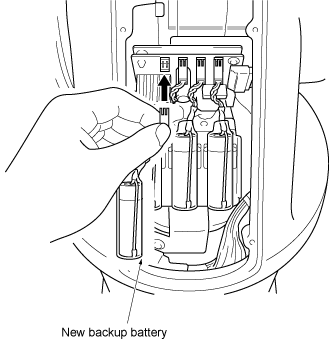
Do not disconnect old backup batteries before connecting a new one to the pin from which the dummy connector cap is removed. If you do so, the encoder positional data may be lost.
6
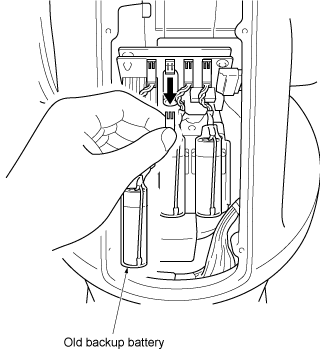
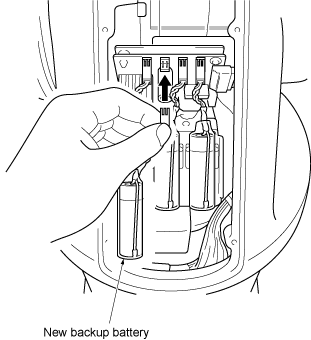
Disconnect the old backup battery that is right next to the new battery connected in Step 5, and then connect a new battery (2nd one).
7
Disconnect the old backup battery that is right next to the new battery connected in Step 6, and then connect a new battery (3rd one).
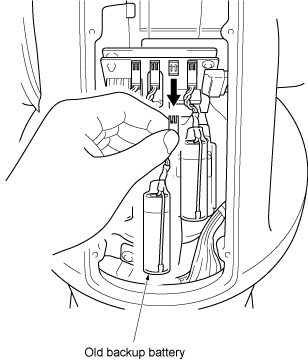
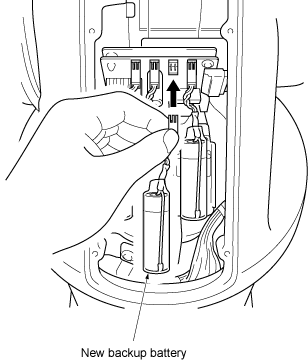
Be sure to replace all of three batteries with new ones at one time. Otherwise, the battery service life will become short.
8
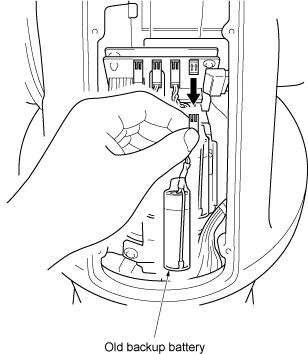
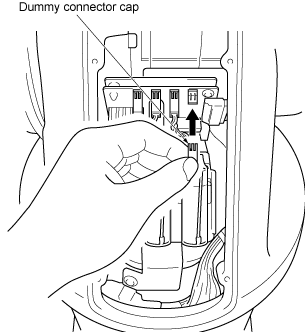
Remove the last old battery and connect the dummy connector cap disconnected in Step 4.
9
Install the cover to the robot unit.
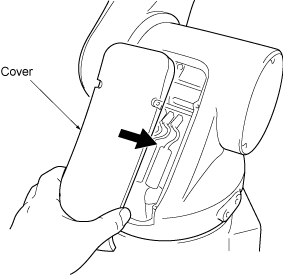
-
Standard type
Tightening torque:Cross pan-head screw: 0.59 Nm (Standard type) } -
Dust-proof & splash-proof type
Hex. socket-head bolt: 2.0 Nm (Dust-proof, splash-proof type)
ID : 5459