
 HOME
HOME
Maximum Acceleration Limit Setting
Operation path : [F2 Arm] - [F12 Maintenance] - [F12 Service] - [F1 Acceleration Limit]
Set acceleration limits of each axis.
Press [F1 Acceleration limit] to display [Acceleration Limit Settings] as shown below.
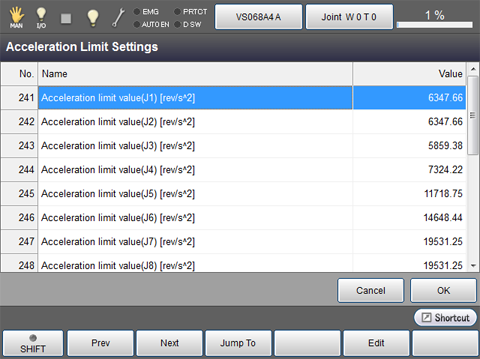
| Available function keys | |
|---|---|
| [F1 Prev] | Display the previous page of the currently displayed [Acceleration Limit Settings] screen. |
| [F2 Next] | Display the next page of the currently displayed [Acceleration Limit Settings] screen. |
| [F3 Jump To] |
Displays ten key. Enter the acceleration limit value limit of the axis to display and select with ten key, and press [OK] to move to the acceleration limit value of the target axis. |
| [F5 Edit] |
Select the acceleration limit value of the axis to change, and press [Edit] to display ten key. |