
 HOME
HOME
Login
Access
[AUX]-[Login]
Operation
1
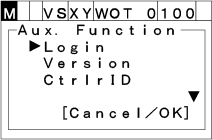
Press [AUX] to display [Auxiliary function option list].
2
Choose "Login" with the up and down cursor keys the press [OK]. "Login" screen shown below appears.
To abort setting, press [CANCEL].
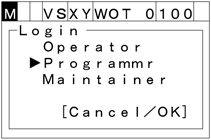
To log in with specified user level, choose the user level for login, then input the password and press [OK].
The default password is as follows.
| [Operator] | 5593551 |
|---|---|
| [Programmer] | 5596045 |
| [Maintainer] | 5596060 |
User level is retained after power off.
To re-login together with changing user level from a higher level to a lower level, password is not required.