
 HOME
HOME
Installing Expansion Board
Methods to install expansion boards such as DeviceNet slave board or CC-Link to expansion slot of RC8 type controller is described here.
1
Turn OFF the power switch of the controller, and then disconnect the power cable.
2
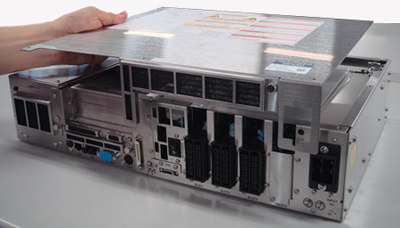
Remove seven screws to remove top cover of the controller.
3 minutes or more must be elapsed after turning OFF the power switch before accessing inside the controller by removing cover for maintenance or other purpose. Failure to do so may be subject to risk of electrical shock.
3
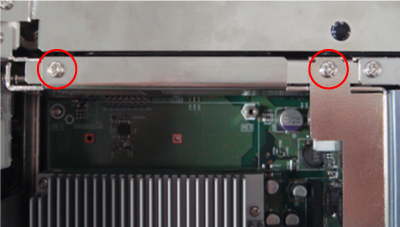
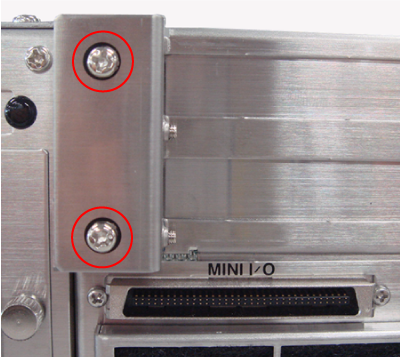
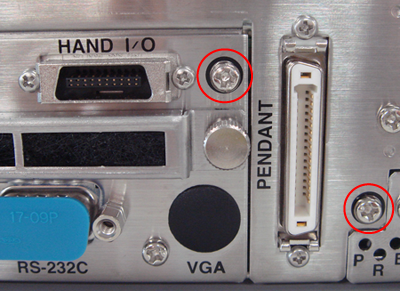
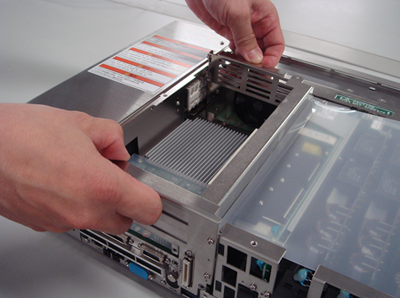
Remove four screws on the front of the controller and two screws on the top of the controller, and then remove the expansion board mounting case.
4
Place the expansion board mounting case on surface.

5
Remove screws to remove cover.

6
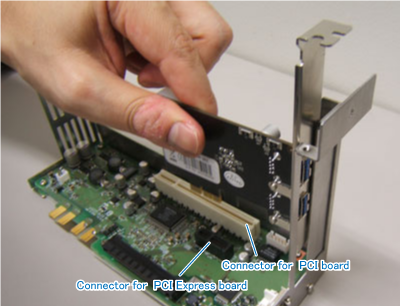
Insert the expansion board in the expansion board connector securely all the way to end.
7
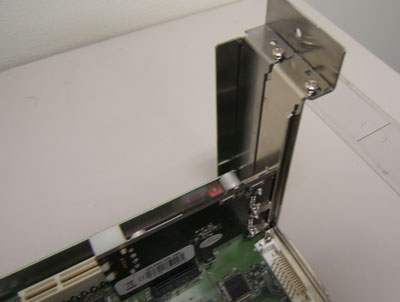
Fix expansion board stay with screws.
8
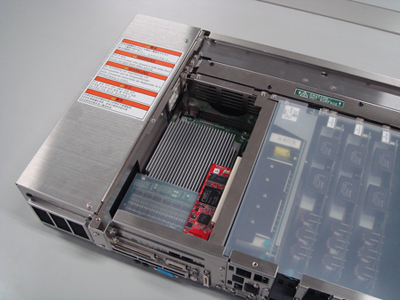
Re-assemble the expansion board mounting unit.
9
Re-assemble the top cover of the controller.