HOME
HOME
Displaying and Changing Data Communication Settings Screen (For COM Selection)
Operation path : [F6 Setting] - [F5 Communication and Token] - [F3 Data Communication] - [Select COM for Device]
Change data communication setting for COM device.
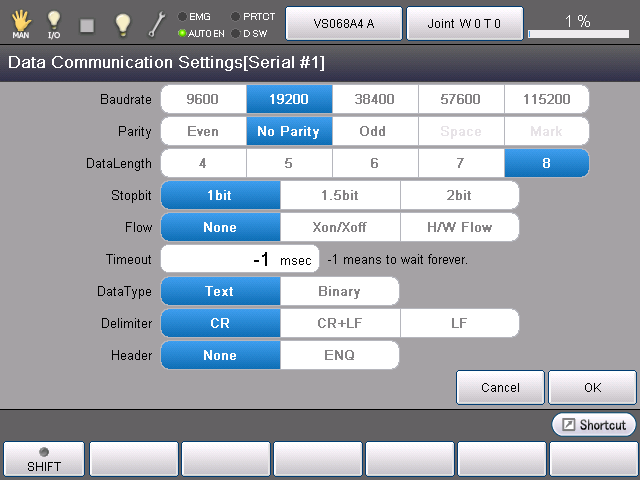
Select COM for device, and press [F5 Edit] to display the following [Data Communication Settings] window.
The currently selected item will be highlighted.
This setting item can be selected by directly touching the screen. Select the item to change in each item, and press [OK] in [Data Communication Settings] window to confirm the changed setting.