HOME
HOME
Basler Camera Setting
This section explains the setting of Basler camera.
Set IP address, ID and a trigger mode with the pylon IP Configurator.
Settings of IP address and ID
1
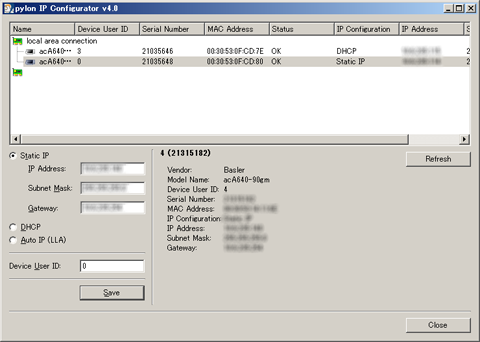
Start the pylon IP Configurator of the version 4 or higher.
2
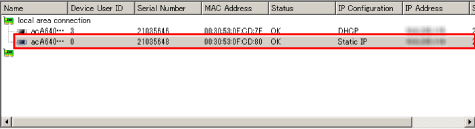
Select a camera that you intend to set IP address and ID.
3
Enter IP Address, Subnet Mask, Gateway and Device User ID, and then click [Save].
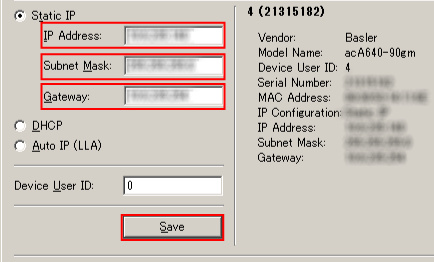
User ID 0 to 4 correspond to ID 201 to 205 of the RC8 image storage area.
Do not use duplicate ID when multiple cameras are used.
Trigger mode setting
1
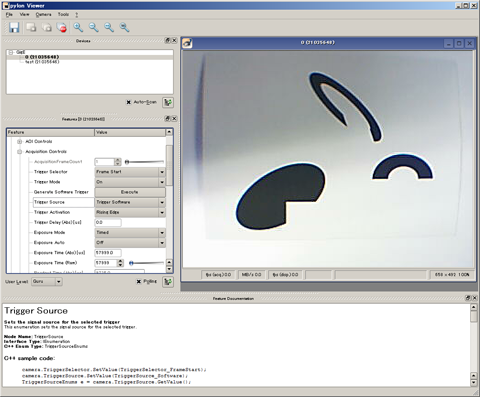
Start the pylon Viewer.
2
Set the User Level to Expert or higher.
3
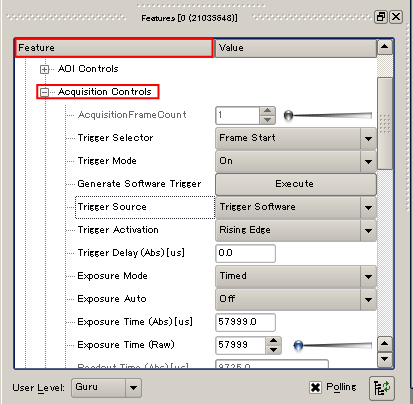
In the Future tab, select Acquisition Controls, and then click + to open the menu.
4
Set the Trigger Mode to ON.
Set Trigger Source according to the mode used.
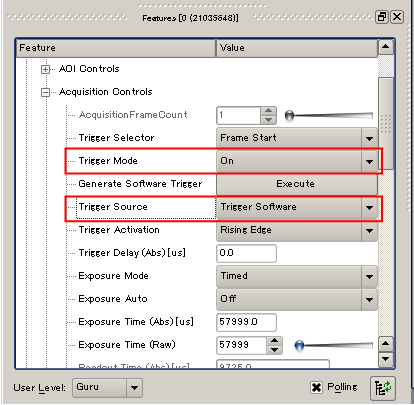
| Item Name | Value |
|---|---|
| Trigger Software | Software trigger |
| Line* | External trigger (hardware trigger) |
5
Set other usage conditions. (e.g. shutter, speed and gain)
6
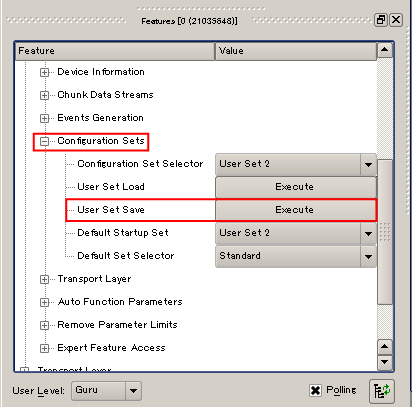
Select a set of items which setting is saved by Configuration Set Selector.
To save the conditions being set, click Execute button under the User Set Save.
The setting will be cancelled unless the Execute button is clicked.