
 HOME
HOME
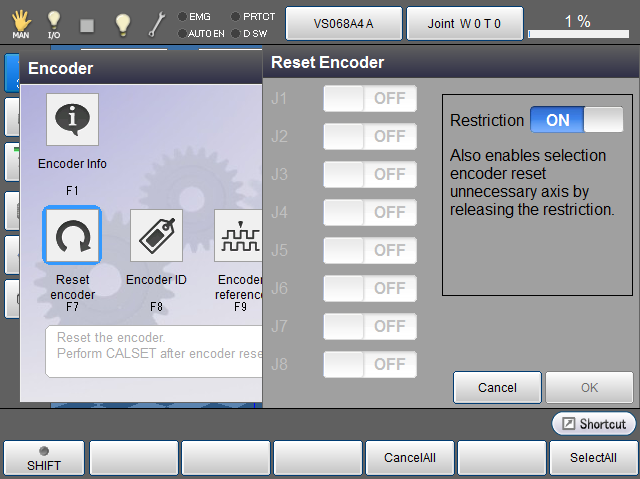
Resetting the Encoder
Operation path : [F2 Arm] - [F12 Maintenance] - [F2 Encoder] - [F7 Reset encoder]
Reset the encoder.
Turn on the axis to be reset, then press [OK] to reset.
CALSET is required after reset since the multi-rotation data of the encoder is cleared.
For the operation sequence, refer to Resetting the Encoder in EXTENDED-JOINT MANUAL.
| Available function keys | |
|---|---|
| [F4 Cancel All] | Turn OFF all joints. |
| [F6 Select All] | Turn ON all joints. |