
 HOME
HOME
ID : 9933
Changing the Inching Angle and Distance
Key
[3: SPEED]

Operation
1
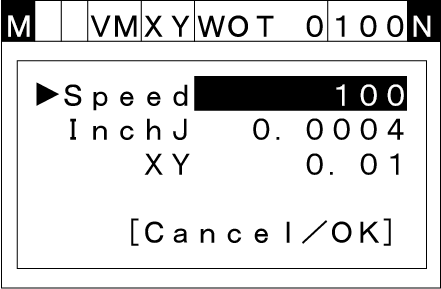
Press [3:SPEED] to call up the speed setting screen shown below where you can change the inching angle and distance.
2 To change the inching angle
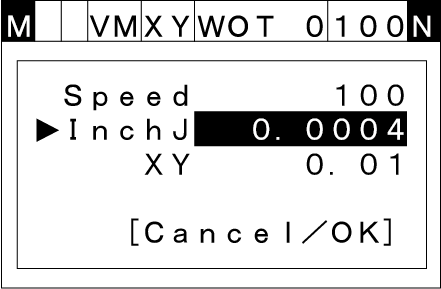
Choose [InchJ] with the up and down cursor keys, enter the desired angle from the numeric keypad, then press [OK].
To discard the new setting, press [CANCEL].
3 To change the inching distance
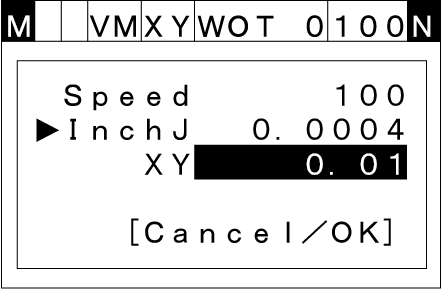
Choose [XY] with the up and down cursor keys, enter the desired distance from the numeric keypad, then press [OK].
To discard the new setting, press [CANCEL].
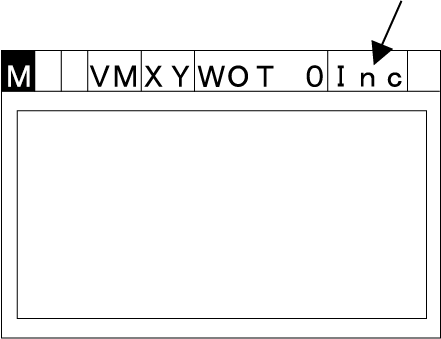
If the robot enters the inching mode, the "Inc" will appear in the rightmost area of the status bar.
ID : 9933