
 HOME
HOME
ID : 10574
Clear the STO state
Operation Path
[AUX] - [ResetSTO]
What is STO?
Robot controller has a "Safe torque off (STO)" as an safety function. "Safe torque off (STO)" is a function to turn the motor power off immediately when a specific error occurs.
A motor power-off state caused by this function is called an "STO state".
To clear the STO state, you can perform it with the auxiliary functions. In addition, when an error occurs, if the error is subtle, pressing the enabling switch on the mini-pendant will clear the STO state.
Operation
Clearing with the Auxiliary Functions
1
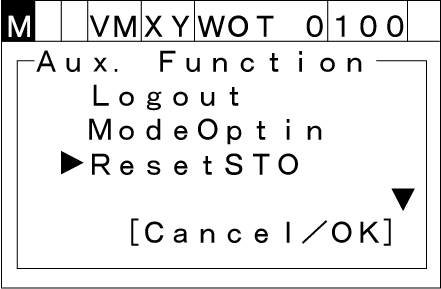
Press the [AUX] key. The following [Aux. Function] window will be displayed. Select [ResetSTO] with the up and down cursor keys.
2
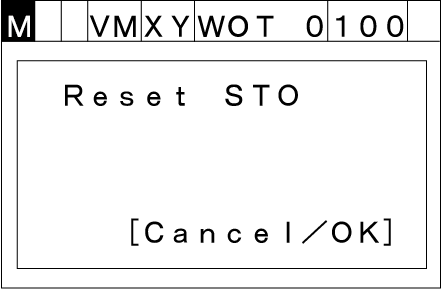
Press the [OK] key. The following message will appear.
To abort the auxiliary function setting, press [Cancel].
3
When you press the [OK] key, the STO state will be cleared.
Clearing with the Enabling Switch
1
Press the enabling switch correctly in the STO state.
2
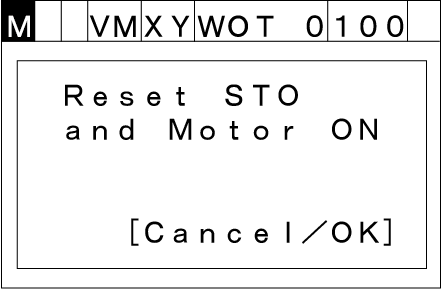
The following message will appear.
3
With keep pressing the enabling switch, when pressing [OK], the STO state will be cleared and the motor will be turned on.
If you press [Cancel] or turn the enabling switch off, the STO state will not be cleared.
ID : 10574