
 HOME
HOME
ID : 1789
Displaying the Setting Menu for Date and Maintenance
Operation path : [F6 Setting] - [F7 Date and Maintenance]
Display the setting menu for date and time of the system and maintenance date.
Press [F7 Date and Maintenance] to display the following [Date and Maintenance] window.
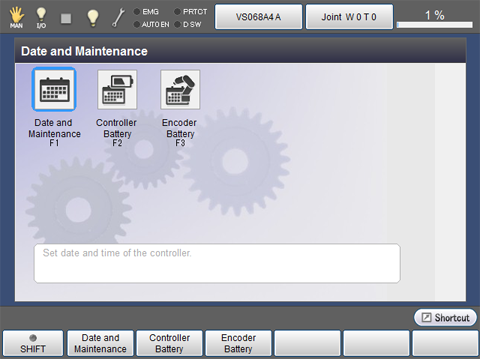
| Available function keys | |
|---|---|
| [F1 Date and Maintenance] |
Set date and time of the system. |
| [F2 Controller Battery] | Set the next Controller Battery maintenance date. |
| [F3 Encoder Battery] | Set the next Encoder Battery maintenance date. |
ID : 1789