
 HOME
HOME
ID : 1828
Changing Work Coordinates
Key
[WORK] ([SHIFT] + [2: M-MOD])
Operation
1
Press [WORK] to call up the "WorkNo" screen as shown below, which shows the current work coordinates number.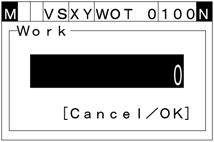
2
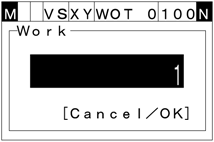
When the power is first applied to the robot controller, the WORK0 (Base coordinate) is set by default. Enter a number indicating the desired work coordinates, and then press [OK].
To discard the new setting, press [CANCEL].
ID : 1828