
 HOME
HOME
ID : 5241
Entering a New Program Name
Before editing a program, make sure the teach pendant is Manual mode.
To create a new program, it is necessary to open the window for editing programs on the teach pendant screen.
1
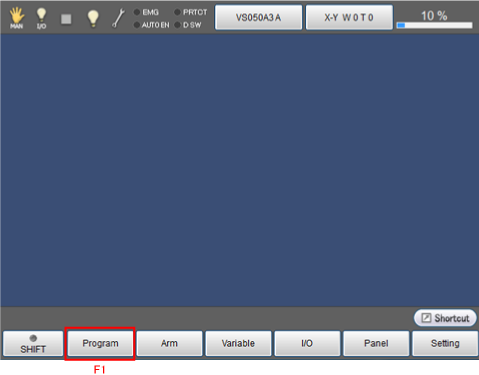
Press [F1 Program] on the basic screen
2
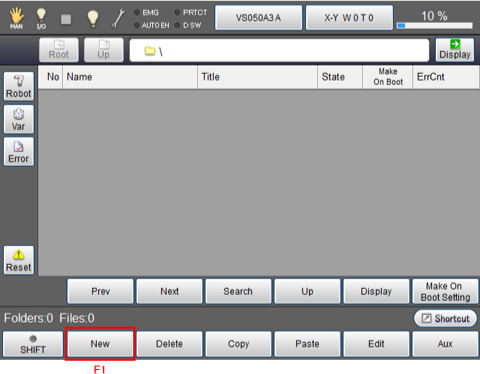
Press [F1 New].
3
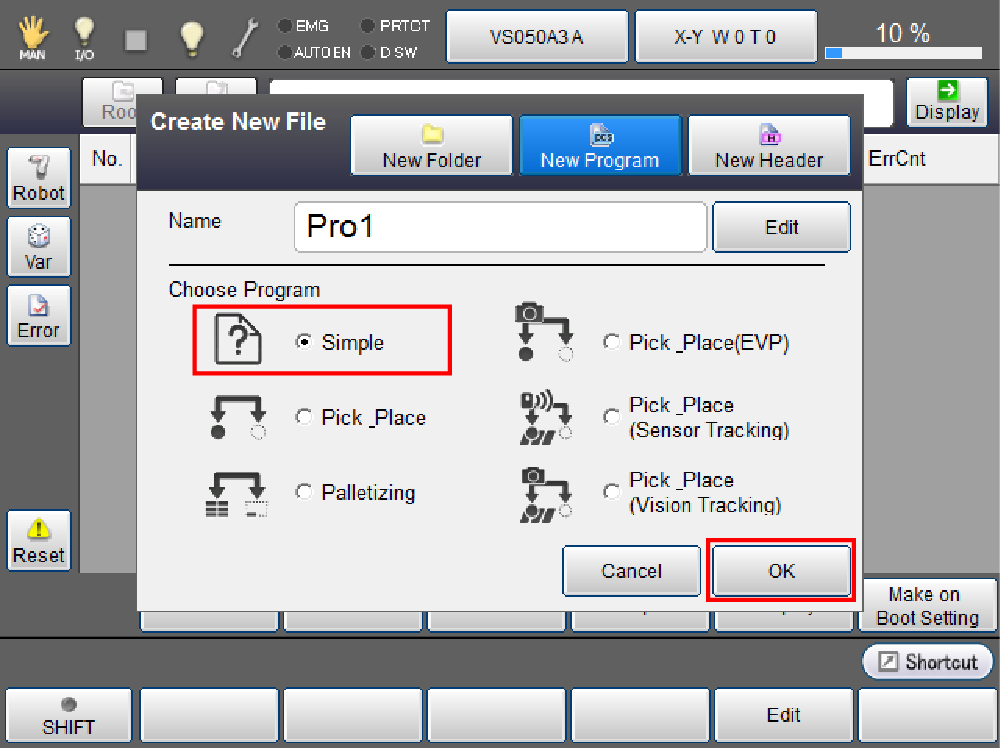
Enter a program name and select [Simple] then press [OK].
4
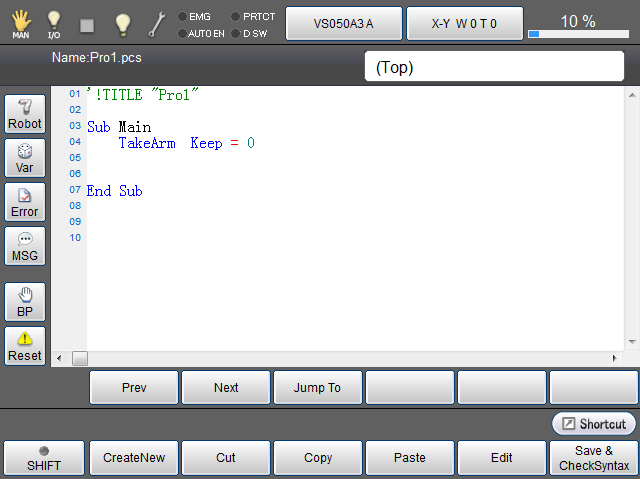
This ends the preparation for program editing.
ID : 5241