
 HOME
HOME
Step Start
Set speed, acceleration and deceleration before executing single-step start operation.
Operation procedures
1
Set operating mode switch to [AUTO].
2
Press [F1 Program].
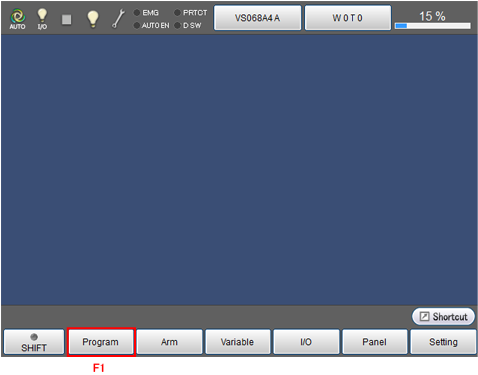
Display [Programs] window shown in the next step.
3
Select the program to start by using cursor key or jog dial, or by directly touching the screen.
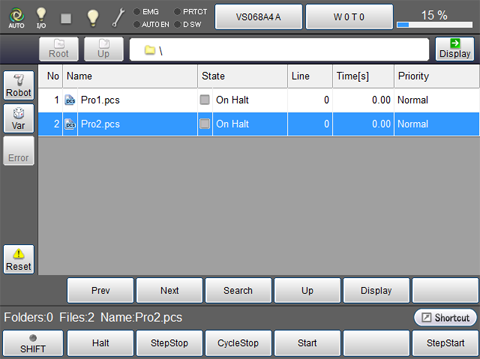
The selected program will be highlighted.
4
Press [OK] while pressing the deadman switch on teach pendant to turn on the motor.
The [MOTOR] lamp turns on.Motor cannot be turned on when the deadman switch is not pressed.
5
Make sure that the selected program is highlighted, and press [F6 StepStart] (or right cursor key).
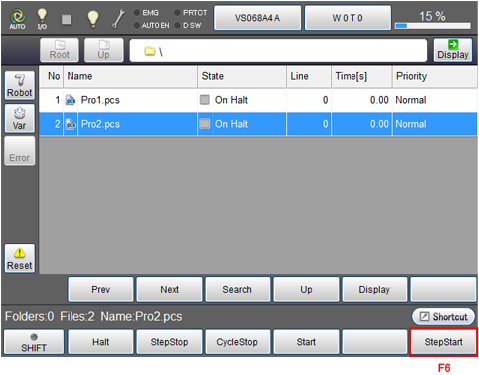
[StepStart] dialog box as shown in the next step will be displayed.
6
Press [OK] in [StepStart] dialog box.
Execute single step for the selected program.
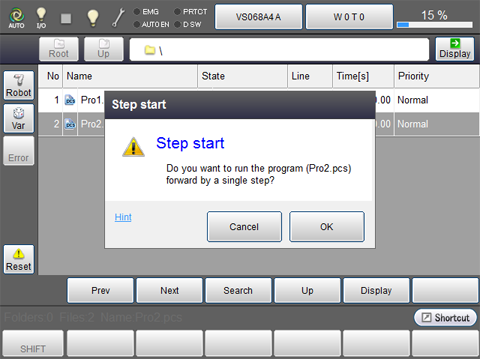
Note: Execute from STEP 5 when repeating single-step start.