
 HOME
HOME
Deadman Switch(es)/Enable Switch(es)
The teach pendant and mini-pendant have a deadman switch(es) each. Holding down the deadman switch properly activates some functions in Manual mode or Teach check mode.
The deadman switch is also called "enable switch."
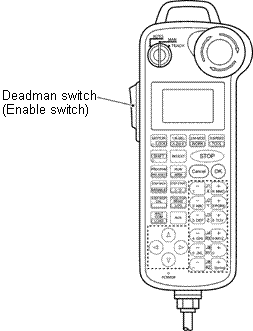
|
Hold down the deadman switchwhen
- You press any of the arm traverse keys in the Manual mode.
- You press the OK key after pressing the CycStart or StpStart button in the Teach check mode.
- You press [F5 ON/OFF] to turn output signals on or off without running task programs.
- You turn the selected user-input port on or off after setting dummy input to the port.
CAUTION:
Never keep the deadman switch(es) held down with adhesive tape or the like. Doing
so may fail to stop the robot when running it in Manual mode. It is extremely DANGEROUS.
The deadman switch on the teach pendant or mini-pendant is of a 3-position type. Releasing the switch or pressing it excessively turns it off, stopping robot motion.
Released (OFF) ⇒ Pressed lightly (ON) ⇒ Pressed strongly (OFF)
Operating procedure
1
While holding down the deadman switch, press any of the keys (e.g., arm traverse keys).
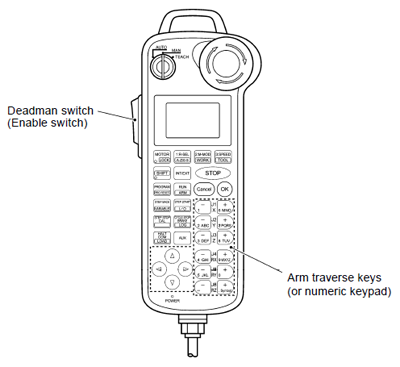
2
Release the deadman switch.
The robot will stop.