
 HOME
HOME
Adjusting the Air Pressure Balance of the Z-Axis (For 4-axis Robots)
Key
[AUX] (Effective in Manual mode)
Operation
To adjust the air pressure balance of
the Z-axis, you need to turn the motor power on.
1
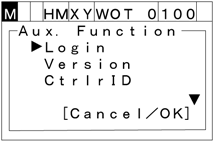
Press [AUX] to call up the "Aux. Function" menu shown below.
2
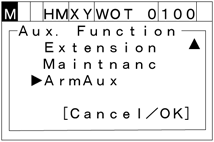
Vertically scroll the screen with the up and down cursor keys to choose the "ArmAux"
3
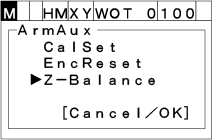
Press [OK]. The "ArmAux" window appears.
To abort setting, press [CANCEL].
4
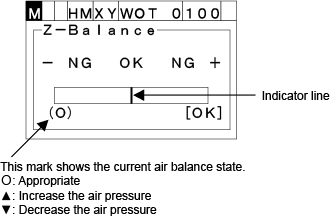
If you choose "Z-Balance" and press [OK], then the "Z-Balance" window appears as shown below.
To abort setting, press [CANCEL].
Adjust the air pressure balance so that the indicator line comes within the OK range of the gauge.
5
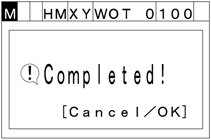
Press [OK]. The following screen will appear.
6
Press [OK] or [CANCEL] to complete the air balance adjustment procedure.