
 HOME
HOME
Setting of the Encoder Joint Number
This section describes how to set the joint number of the encoder that is connected to the conveyor.
Setting Procedure
1 Displaying the Joint Number Selection Window
Press [Joint No].
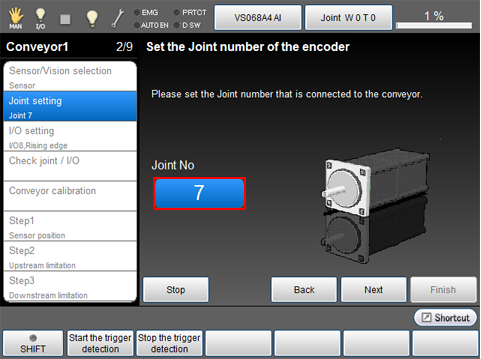
[Joint Number] setting window is displayed.
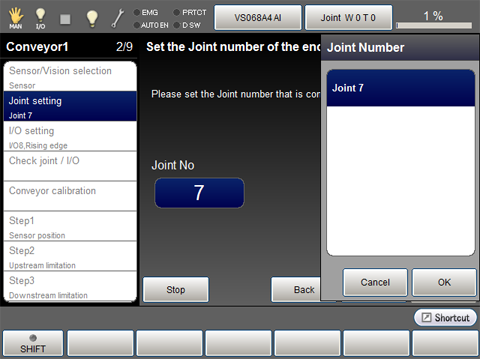
Items to be displayed in the [Joint Number] window are as follows.
- Joint that is set to [Enable encoder only]
- "Enabled" joint
To change the joint number of the encoder which is assigned to the conveyor, set the [Conveyor joint number (Conveyor*)] to "0" from [Tracking[Master]] - [F12 Detail] - [Conveyor tracking], beforehand.
2 Selecting the Joint Number and Applying the Selection
Choose a joint number then press [OK].
3 Confirmation of Setting Value
The joint number selected in STEP2 is displayed.
Press [Next].
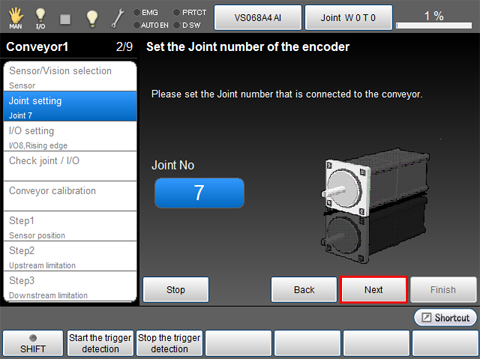
This continues to the "I/O Settings".