
 HOME
HOME
ID : 9783
Displaying and Changing External Speed Setting Window (Inching Mode)
Operation path: Velocity button on the smart TP - [Inching mode ON]
Set moving angle of each joint and moving distance for XY/Tool in inching mode.
Tap velocity button on the smart TP and turn [Inching] "ON" to display the following [Speed] window.
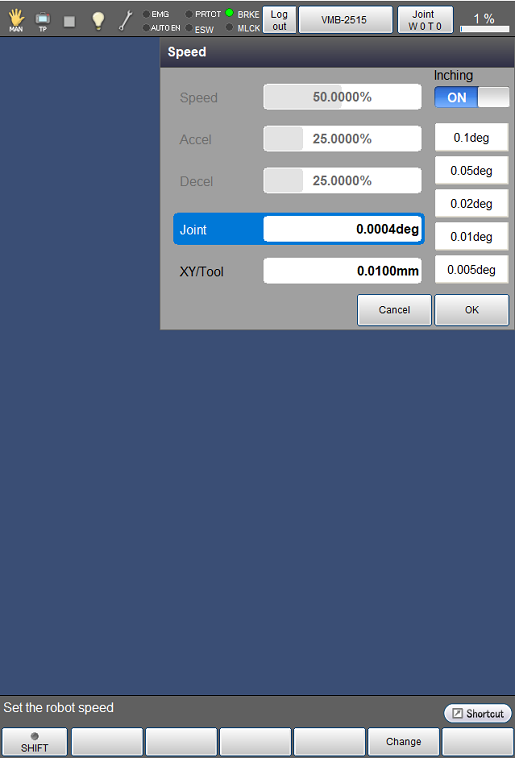
The value of speed can be changed by using left and right cursor keys on smart TP: "Joint: 0.0025 degree increment, XY/Tool: 0.05 mm increment"
| Available function keys | |
|---|---|
| [F5 Change] |
Select item, "Joint" or "XY/Tool", and tap [Change]. Then, numeric keypad will be displayed. Enter the value to set with numeric keypad, and tap [OK] to change the display for settings to the entered value. |
ID : 9783