
 HOME
HOME
ID : 9940
Displaying the Current Robot Arm Position
Key
[ROBOT] ([SHIFT] + [RUN])
Operation
1
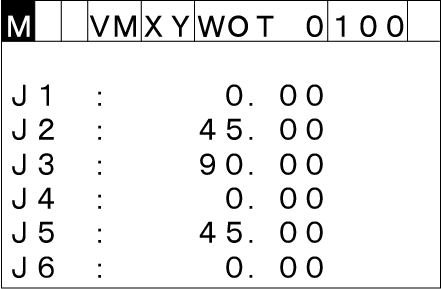
Press [ROBOT] to call up the current robot position window.
2
When the robot controller is turned on, the coordinates is expressed in joint variables by default as shown above.
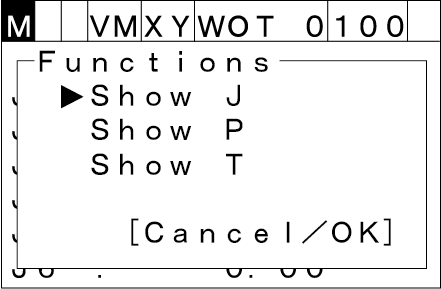
Press [MENU] to call up the Display Style window where you can select the desired expression.
3
Choose the desired expression by using the up and down cursor keys, then press [OK].
On the current robot position window, the expression of the current robot position can be changed between J type, P type and T type by using the right and left cursor keys.
To discard the new choice, press [Cancel].
ID : 9940