
 HOME
HOME
ID : 9949
Executable Token Setting
Key
[COM] ([SHIFT]+[HALT])

Operation
1
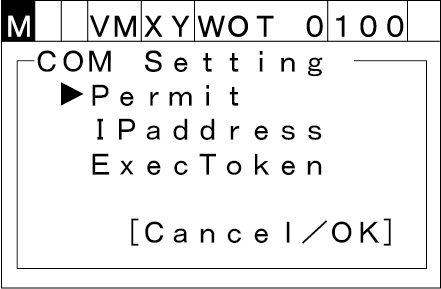
Press [COM] to display the [COM Setting] window.
2
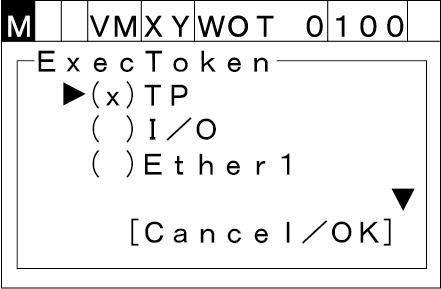
Select "ExecToken" with the up and down cursor keys then press [OK]. [COM Setting] appears as shown below.
To abort Executive Token setting, press [Cancel]
3
Choose arbitrary Executive Token type from "TP", "I/O" and "Ethernet(Ether1 to Ether4)" with the up and down cursor keys, then press [OK].
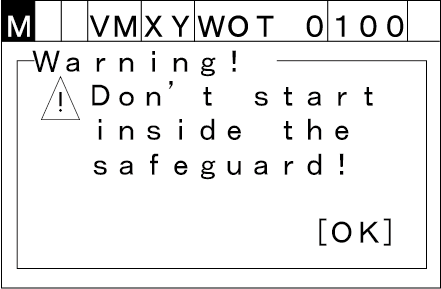
When "TP" is selected, the following system message appears.
- 起動権は複数選択することができます。選択した機器から自動運転が可能ですので、安全には十分注意してご使用ください。
- If the executive token is set to "TP", stay outside of the safety guard when starting a program.
If "Ethernet" is selected, [Client IP] window appears as shown below.
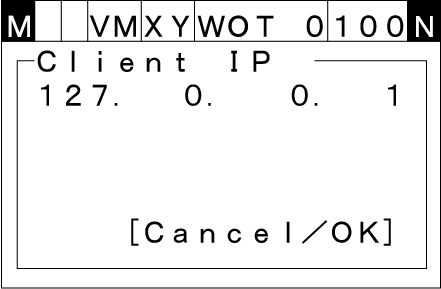
Select item with the right and left cursor keys, then enter a number with ten keys, and then press [OK].
To abort Executive Token setting, press [Cancel].
ID : 9949