
 HOME
HOME
ID : 10771
Receiving VL Initial Setting Data with Smart TP
Import VL initial setting data to the robot controller by following the procedure below.
1
From this step to STEP8, operate WINCAPSIII.
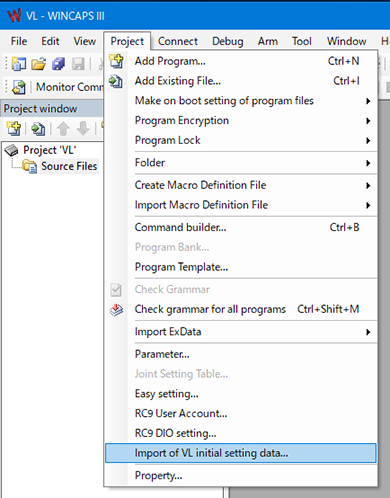
Select [Project] - [Import of VL initial setting data].
2
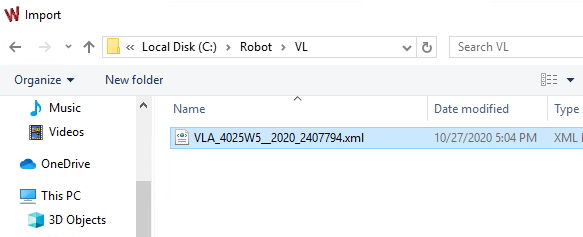
Select VL initial setting data, click [OK].
3
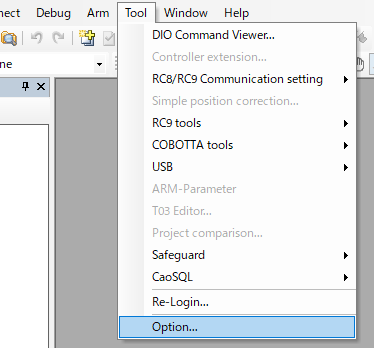
Select [Tool] - [Option].
4
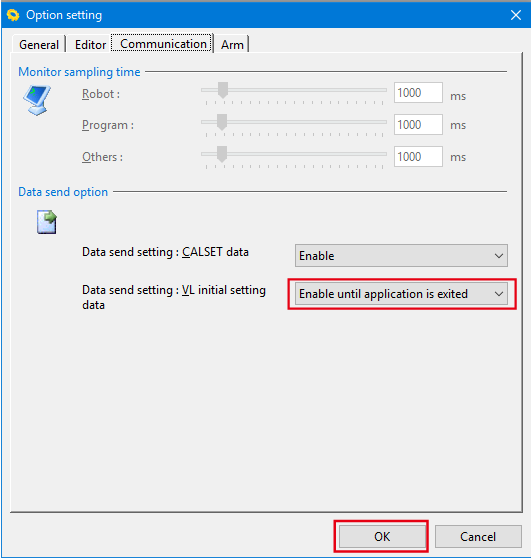
In the displayed “Option setting” window, click the [Communication] tab and set "VL initial setting data" to [Enable until application is exited], click [OK].
5
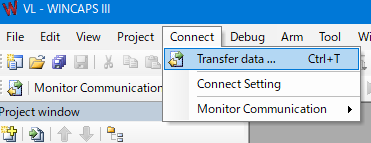
Select [Connect] - [Transfer data].
6
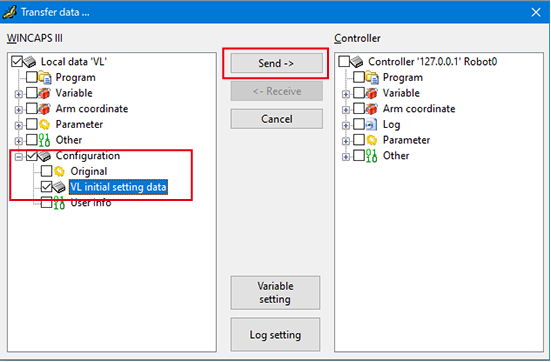
In the displayed "Transfer data" window, select the check box of "VL initial setting data", click the [Send] button.
7
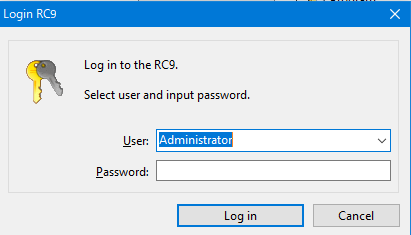
The window to ask a user and a password for login is displayed. Select the default account "Administrator", enter "1234" for password, and click [Login].
8
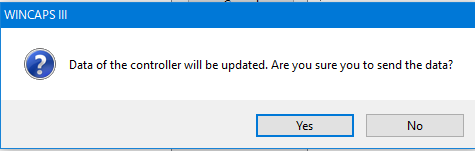
The confirmation window is displayed, click [Yes]. Sending data starts.
9
From this step, operate the smart TP.
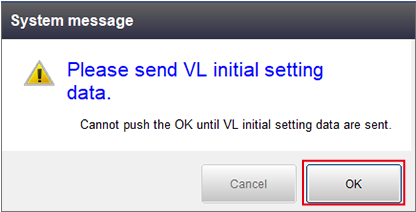
When receiving VL initial setting data is completed, it turns to the following window.
Press [OK].
10
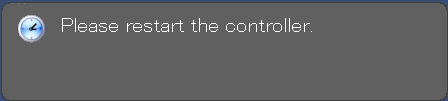
Confirm that the following window is displayed, and then restart the robot controller.
ID : 10771