
 HOME
HOME
ID : 11046
How to connect each I/O cable
MC9 series equips the following I/Os as standard items.
Connectors for each I/O are located in the front panel.
| No. | Connector name |
|---|---|
| 1 | STO (connector) |
| 2 | Digital I/O |
| 3 | User Power (connector) |
| 4 | HAND I/O |
| 5 | Safety I/O |
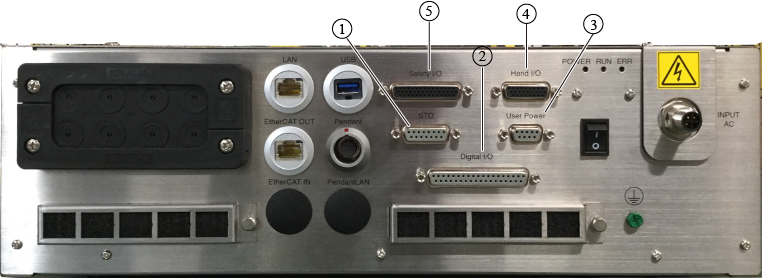
To use each I/O function, connect a cable in each connector.
For information about the wiring table and signals of each I/O cable, see "How to Wire I/Os".
ID : 11046
- Related Information
- How to Wire I/Os