
 HOME
HOME
ID : 1751
Setting and Changing Encoder
Operation path : [F2 Arm] - [F12 Maintenance] - [F2 Encoder]
Display and change the settings associated with encoder of robot.
Press [F2 Encoder] to display the following [Encoder] window.
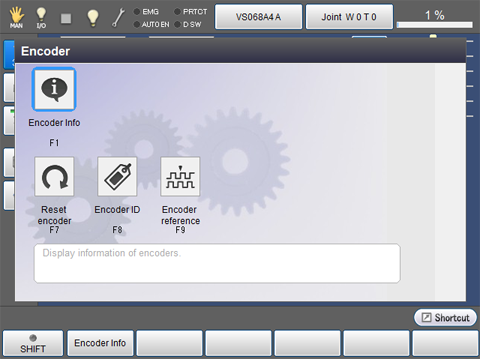
| Available function keys | |
|---|---|
| [F1 Encoder Info] | Display encoder information of each joint. |
| [F7 Reset encoder] |
Reset the encoder. |
| [F8 Encoder ID] |
Set the encoder ID number. |
| [F9 Encoder criteria] | Display and change information on criteria position of encoder. |
ID : 1751