
 HOME
HOME
CALSET Operation Using CALSET Jig
Operation path : [F2 Arm] - [F12 Maintenance] - [F7 CALSET] - [F1 CALSET]
To perform this operation, set the user level "Maintainer".
This operation requires CALSET jig.
This CALSET is done when motor is replaced.
Manually transfer robot to CALSET position, and perform CALSET using CALSET jig.
Press [F1 CALSET] to display the following [CALSET] window.
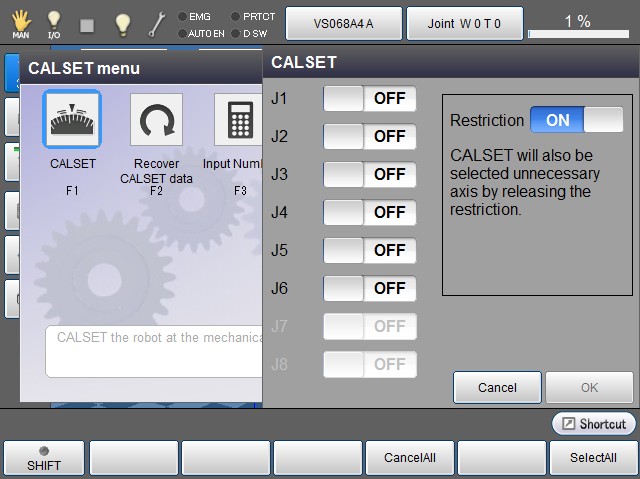
To individually select ON/OFF for each joint, directly touch ON/OF characters of each joint to set.
| Available function keys | |
|---|---|
| [F4 Cancel All] | Change all joints to "No CALSET (OFF)". |
| [F6 Select All] |
Change all joints to "CALSET (ON)". Change it ON, and press [OK] to execute CALSET. |