
 HOME
HOME
Operation Procedure
The following shows procedure of Virtual Fence function.
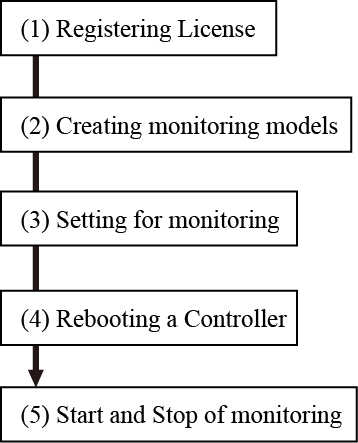
(1) Registering License
This function requires a license key.
To enter a license key, use a teach pendant.
For information on how to enter your license key, please refer to Displaying and Adding/Deleting Function Extension Screen in “TEACH PENDANT OPERATION GUIDE”.
(2) Creating Monitoring Models
Create monitoring models with Arm modeling of WINCAPSIII, and send it to RC8.
Once the monitoring model data arrives, RC8 will start monitoring.
(3) Setting for monitoring
Set the monitoring details with a teach pendant.
(4) Rebooting a Controller
Reboot a controller. Virtual fence is enabled after rebooting.
(5) Start and Stop of Monitoring
Start/Stop the monitoring with a teach pendant, mini pendant, or command.