
 HOME
HOME
Enabling the extended-joint
Enables the extended-joint
Setting procedure
1
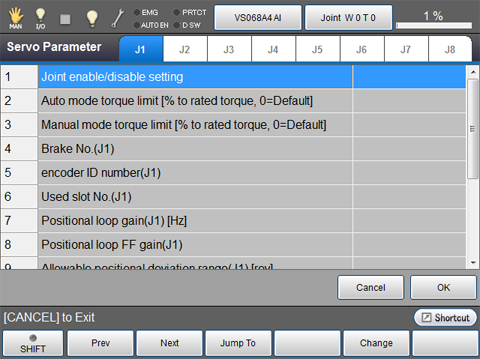
Press [F5 Servo Parameter] on the Joint Setting window.
Servo Parameter window shown below is displayed.
2
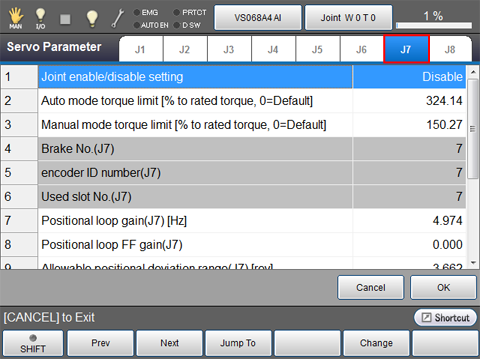
Select a tab to configure.
If 7-axis is selected, the display will be as shown below.
3
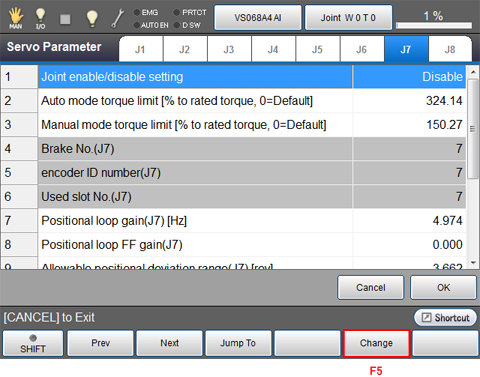
Press [F5 Change]
4
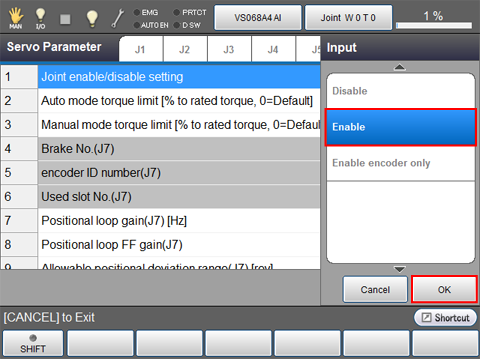
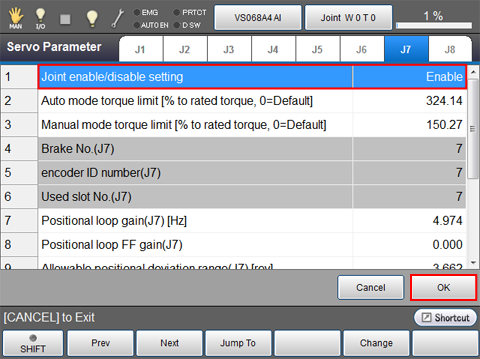
Select [Enable] and then press [OK].
5
Check that the state of [Joint enable/disable setting] is "Enable", then press [OK].
6
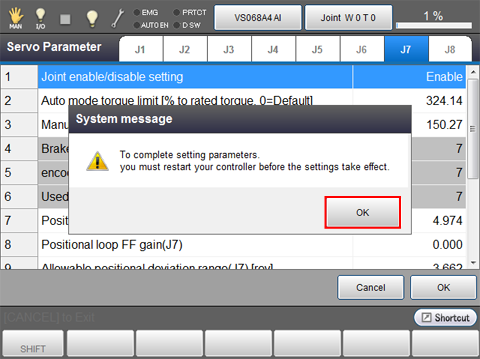
System message is displayed for confirmation, and then click [OK].
7
Setting change is confirmed and the screen returns to the Joint Setting window.
Restart the controller.
"8540467* *-axis:Encoder system down" and "0x844046D* *-axis:Encoder data not received" will be issued. Press the [LOCK] button on the teach pendant to set to the machine-lock status, and then press [Cancel] button to clear errors.