
 HOME
HOME
ID : 9634
Display Lights-Out
For the energy saving purpose, the Display Lights-Out function is available as well.
How to Set
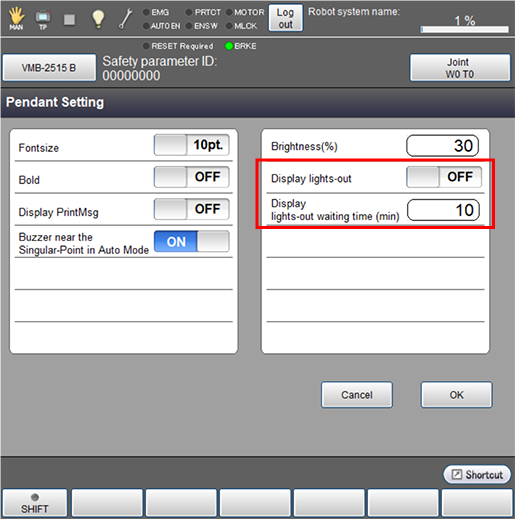
Operation path: [F6 Setting] - [F3 Pendant and Panel] - F2 Pendant Setting]
Select whether to turn off the screen back light (ON) or not (OFF).
In [Display lights-out waiting time], specify how many minutes it will take before turning off the screen back light after finishing the screen operation.
How to Release
Display lights-out is released in the following case.
- A level 1 or higher error occurs.
- Screen is touched or any key operation is done.
Action of Pressing Keys
If the following key operation is performed, the Display lights-out is released and the operation corresponding to the key pressed is done. If the other key operations is performed. only the Display lights-out is released.
- Emergency Stop
- Enabling Switch
ID : 9634