
 HOME
HOME
ID : 9635
Numeric Keypad
When any number input is required, such as "login password", "External speed/Acceleration/Deceleration setting", "Variable edit", IP address input in "Communication setting", a numeric keypad (ten keys) appears.
Enter value using numeric keypad, and press [OK] button to enable the entered value.
The contents of numeric keypad may be slightly different depending on the items to be set.
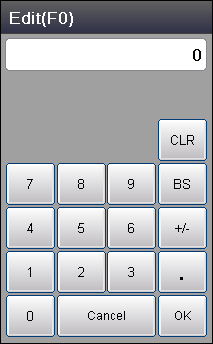
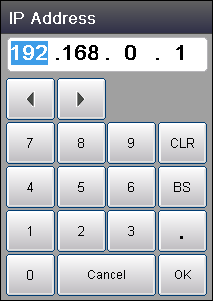
The display examples of numeric keypad are shown in the figure below.
|
|
|
|
Numeric keypad displayed when editing variables |
Numeric keypad displayed when entering IP address |
ID : 9635