
 HOME
HOME
ID : 9643
Initial Settings for Robot
Set the basic parameters such as "mass of payload" of the tip of robot arm (total mass of tool and payload if too is used), "payload center of gravity", and "optimal speed control function" to set proper speed and acceleration of robot under these load conditions.
Set Mass of Payload, Payload Center of Gravity, and Optimal Speed Control Function.
Follow the procedures described below to set the mass of payload (total mass of tool and the payload) and the center of gravity if they are understood for the operating conditions of the robot.
Operation Procedures
For specific robots, this initial setting is available with Easy Setting function. For details, refer to Easy Setting (Smart TP).
1
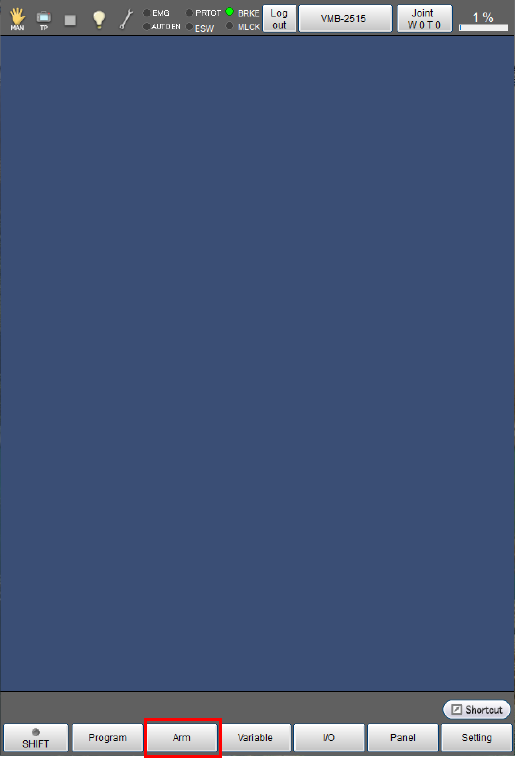
Press [F2 Arm] on the basic screen.
2
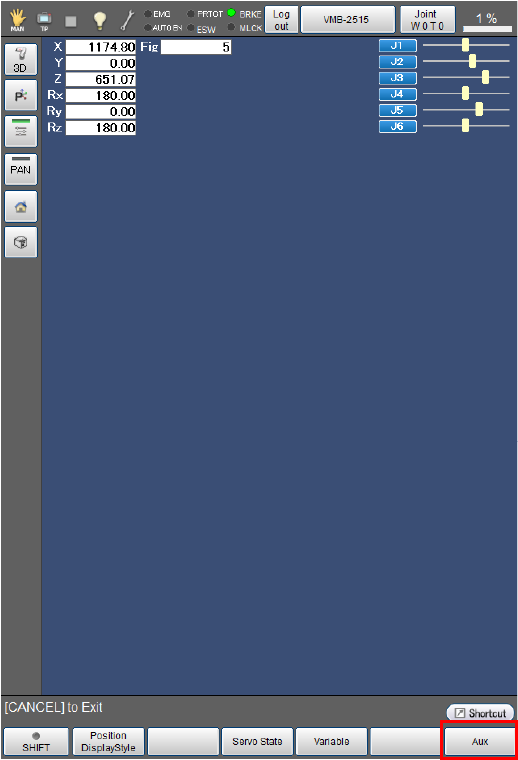
Press [F6 Aux].
3
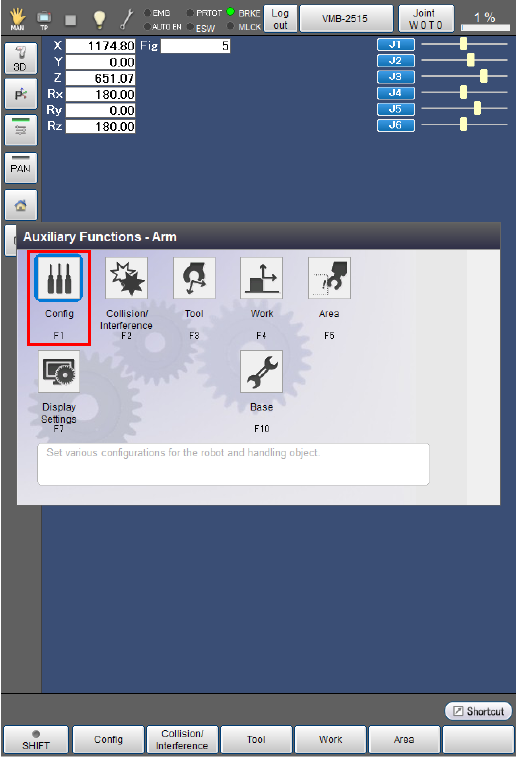
Press [F1 Config].
4
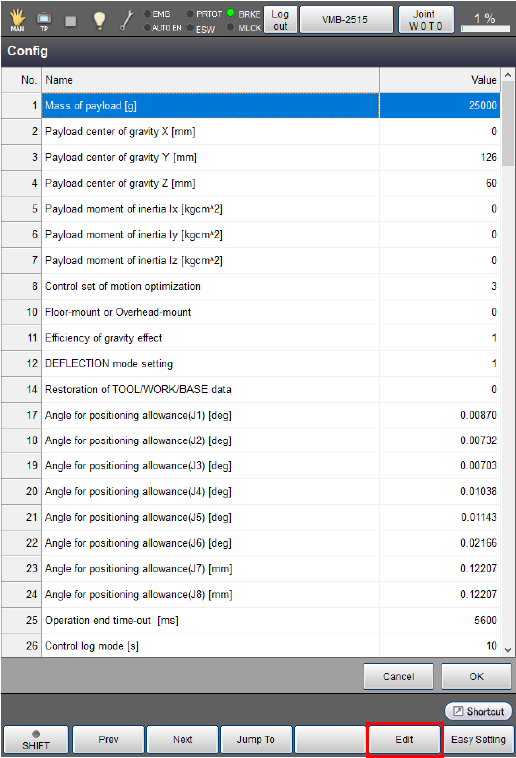
Select [1: Mass of payload [g] ].
The selected line will be highlighted.
Now, press [F5 Edit].
5
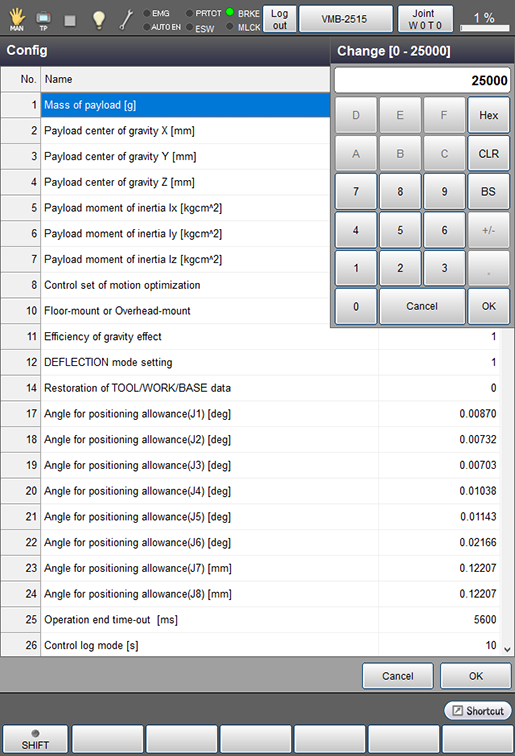
Use numeric keypad to enter the required value.
Press [CLR] or [BS] key to cancel the entered value.
Check the entered value, and press [OK] if it is correct.
Press [Cancel] key to cancel the entire operation of this STEP and go back to the original settings.
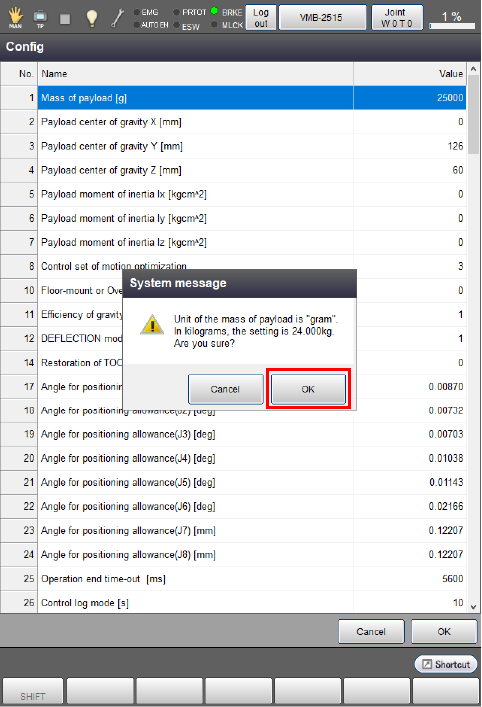
The system message appears on the screen.
Check the entered value, and press [OK] if it is correct.
To discard the new choice, press [Cancel].
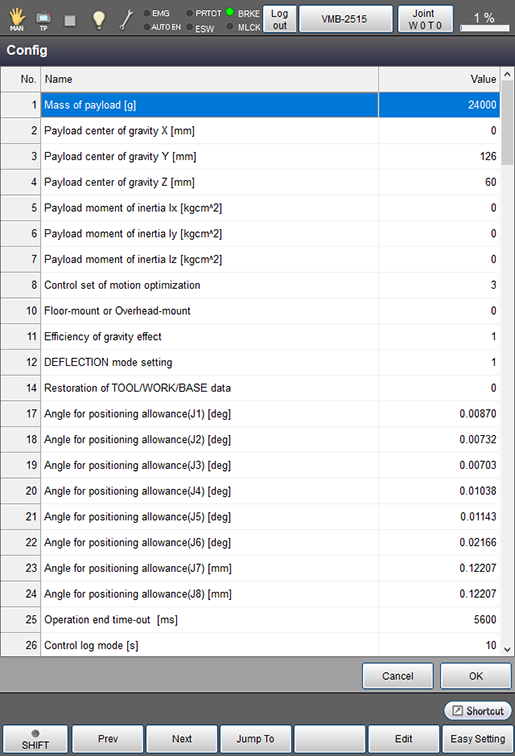
Numeric keypad is disappeared, and [1: Mass of payload [g] ] is updated with the newly entered value as shown below.
Press [OK] to confirm this value. Press [Cancel] key to cancel. Screen will be back to normal.
6
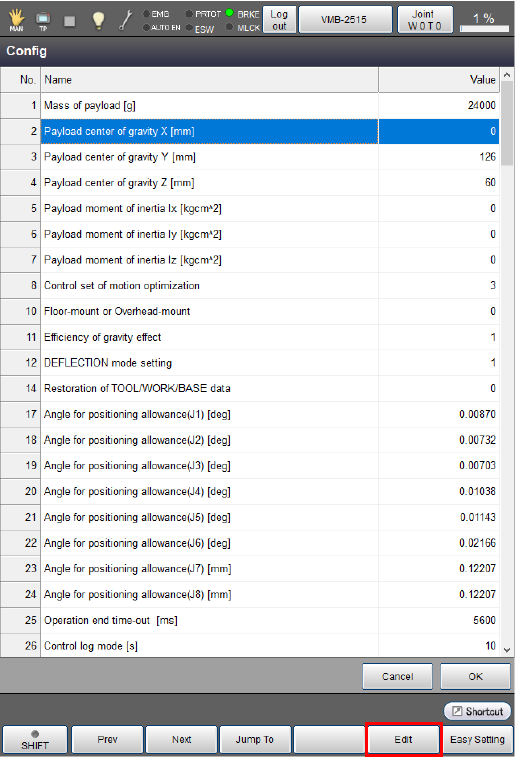
Press [2: Payload center of gravity X [mm] ] to select.
The selected line will be highlighted.
Now, press [F5 Edit].
7
Use numeric keypad to enter the required value.
Press [CLR] or [BS] key to cancel the entered value.
Check the entered value, and press [OK] if it is correct.
Press [Cancel] key to cancel the entire operation of this STEP and go back to the original settings.
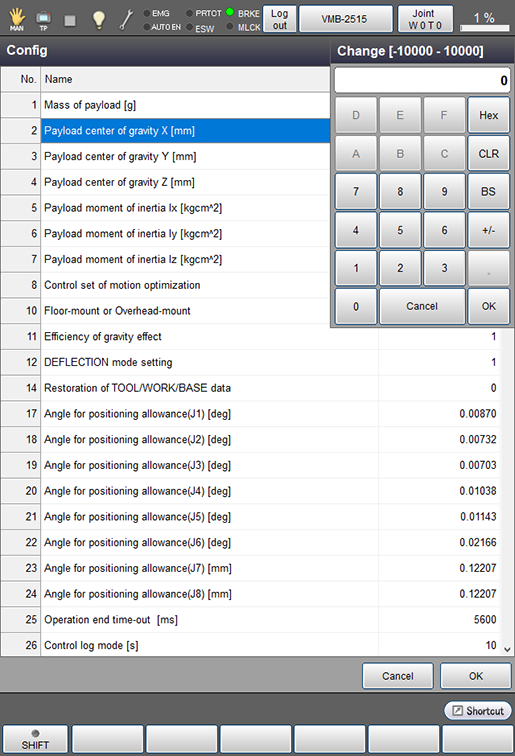
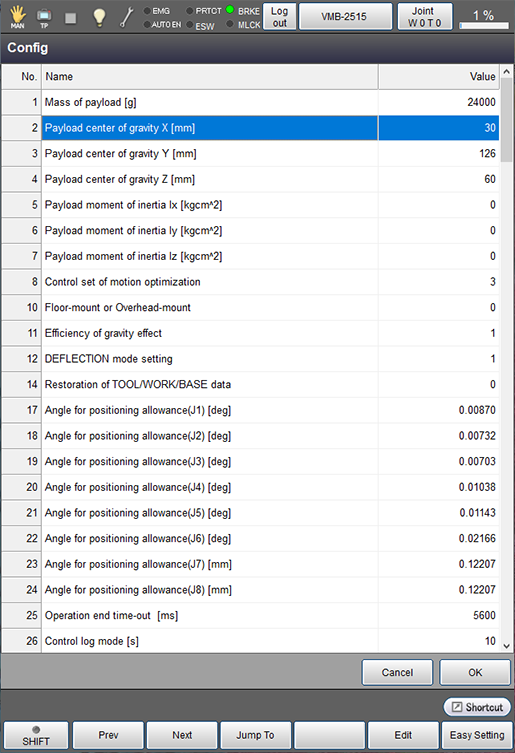
Numeric keypad is disappeared, and [2: Payload center of gravity X [mm] ] is updated with the newly entered value as shown below.
Press [OK] to confirm this value. Press [Cancel] key to cancel. Screen will be back to normal.
8
Perform the setting of "[3: Payload center of gravity Y [mm] ]" and "[4: Payload center of gravity Z [mm] ]" according to the same procedure.
If the payload moment of inertia is available, set it in the same manner as the payload center of gravity settings.
9
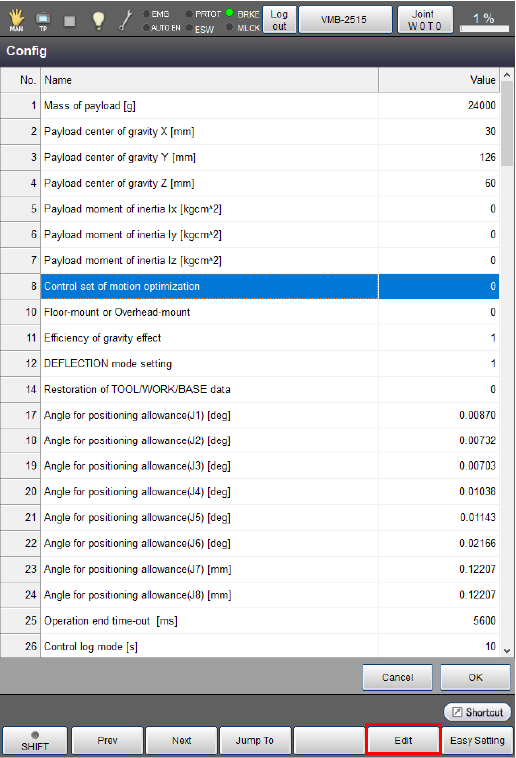
Press [8: Control set of motion optimization] to select.
The selected line will be highlighted.
Now, press [F5 Edit].
10
Select an item to use and press [OK] to confirm.
Press [Cancel] key to cancel the entire operation of this STEP and go back to the original settings.
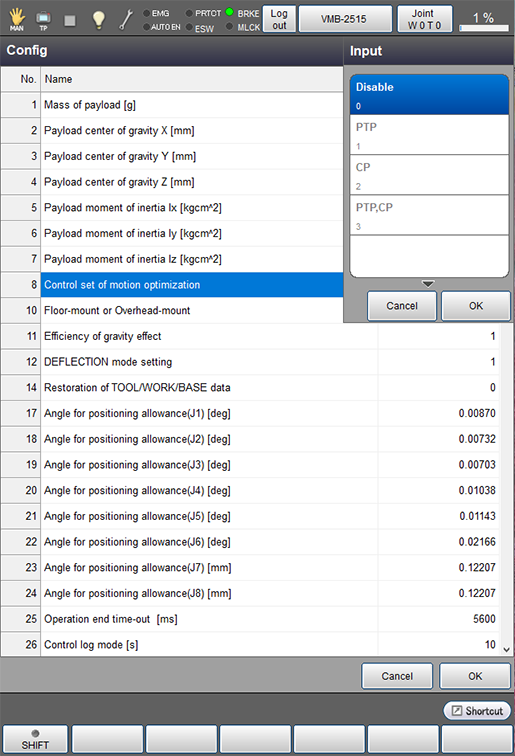
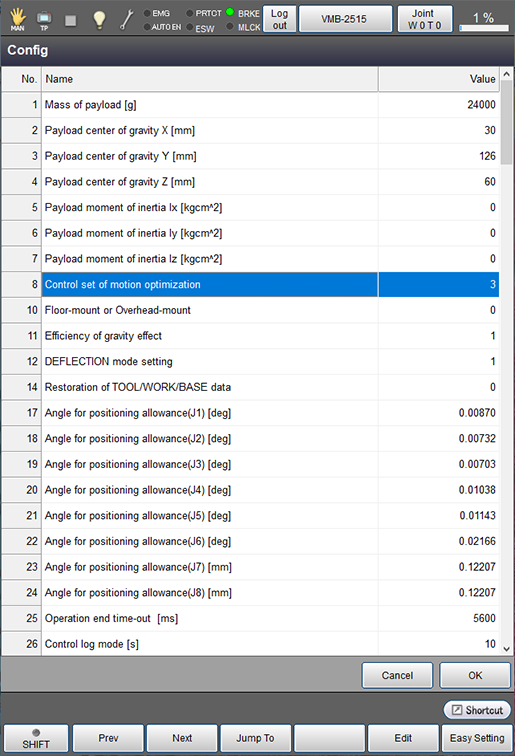
Input is disappeared, and [8: Control set of motion optimization] is updated with the newly entered value as shown below.
Press [OK] to confirm this value. Press [Cancel] key to cancel. Screen will be back to normal.
11
Press [OK] button in Config screen.
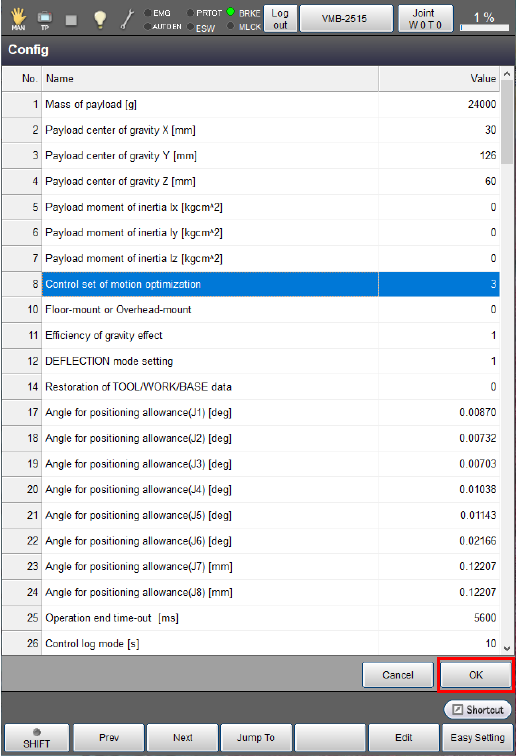
This completes the setting.
ID : 9643