
 HOME
HOME
ID : 9732
Switching Display of Variable Screen
Operation path: [F3 Variable] - [F10 Switch Display]
Perform settings for switching display of variable screen.
Tap [F10 Switch Display] to display the following [Option] window.
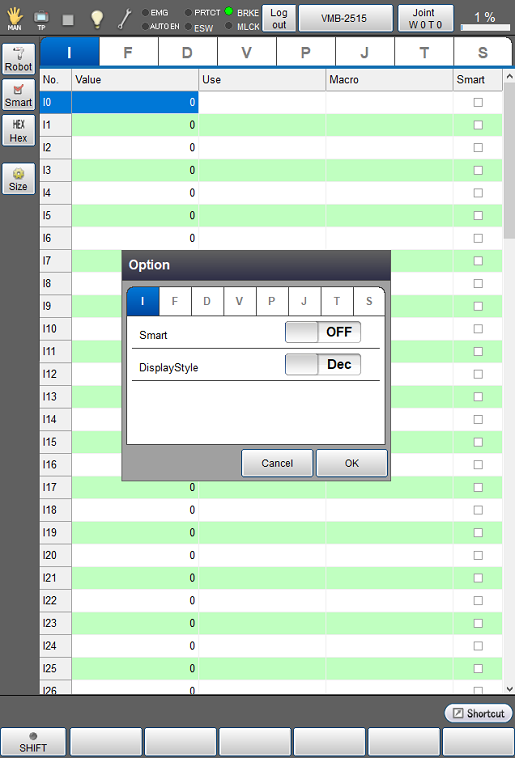
| [Variable tab] | Select variable tab to set for switching display. |
|---|---|
| [Smart] | In each variable, display only variable number whose checkbox for "Smart" is checked. |
| [DisplayStyle] | Switch between decimal and hexadecimal displays. |
ID : 9732