
 HOME
HOME
ID : 9733
Displaying Auxiliary Functions Menu (Variable)
Operation path: [F3 Variable] - [F12 Aux]
Display auxiliary functions menu for variable.
Tap [F12 Aux] to display the following [Auxiliary Functions - Variable] window.
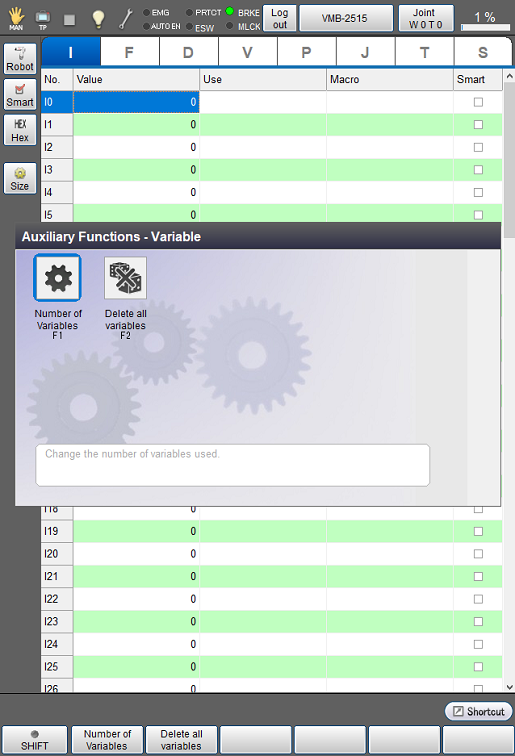
| Available function keys | |
|---|---|
| [F1 Number of Variables] | Set the number of variables. |
| [F2 Delete all variables] | Delete all Variable value, Usage, Macro at once.
This key is available only when the currently logged-in account is granted user permission for "Programming". |
ID : 9733
- Related Information
- Displaying and Setting Variable Size
- Delete All Variables