
 HOME
HOME
ID : 9943
Releasing and Locking Brakes
Key
[BRAKE] (Effective in Manual mode)

Operation
1
Press [BRAKE] to call up the "Brake" window as shown below.

2
Press [OK], then the [Each Axis] window will appear.
To abort brake setting and return to the previous screen, press [CANCEL].
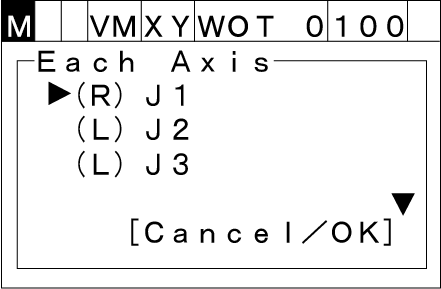
The letters, R and L, stand for current Release and Lock status of each joint brake, respectively.
3
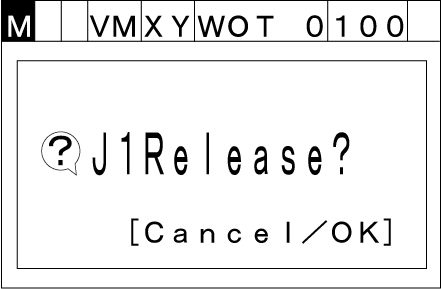
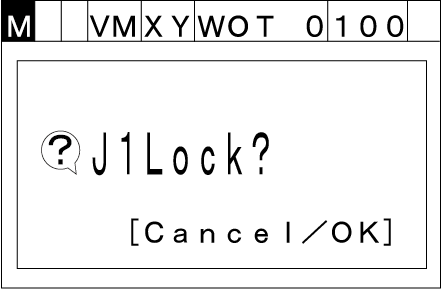
Choose an arbitrary joint with the up and down cursor keys, then press [OK]. (You can vertically scroll the screen with those keys.) Either of the following windows will appear.
To switch the selected joint brake between Release and Lock status, press [OK].
To abort the brake release or lock, press [Cancel].
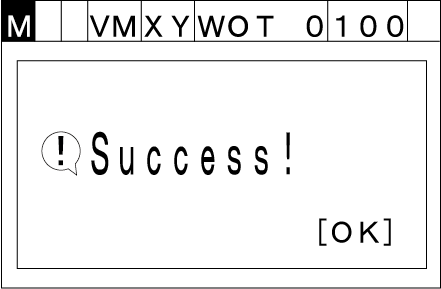
If the selected brake is released or locked successfully as specified, the following message will display.
Attention
- Only one brake can be released. If you release the brake on other joints, the current joint being released will be locked.
- If you release the brake, you need to operate with keep pressing down the enabling switch. Also, if you release the enabling switch during brake releasing, it turns to the STO state and the brake is locked.
ID : 9943