
 HOME
HOME
ID : 9945
Logging Data
Key
[LOG] ([SHIFT] + [BRAKE])
Operation
To display the error list, press [Log]. You can check error logs by scrolling the screen with the up and down cursor keys.
To exit the log operation, press [Cancel].
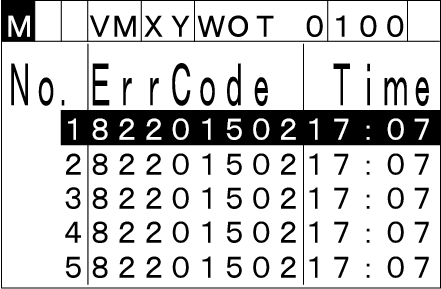
To display "Error log operation list" shown below, choose the error log that you aim to check then press [MENU].
To return "Error list screen", press [Cancel].
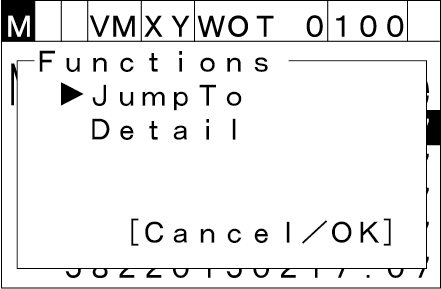
Choose the function by up and down cursor keys then press [OK] to execute the function.
JumpTo
If you select [JumpTo] with the up and down cursor keys and press [OK], then the [JumpTo] window will appear. When you enter the error log number that you want to jump to and press [OK], it moves to the specified the error log number.
To return to the [Error list] window, press [Cancel].
Detail
If you select [Detail] with the up and down cursor keys and press [OK], then the [Error Log Details] window will appear. You can check error details (error level, date and time).
To return to the [Error list] window, press [Cancel].
ID : 9945