
 HOME
HOME
ID : 9946
Setting Communications Port
Key
[COM] ([SHIFT]+[HALT])

Operation
1
Press [COM] to call up the "COM Setting" screen shown below which lists communications settings for the robot controller.

2
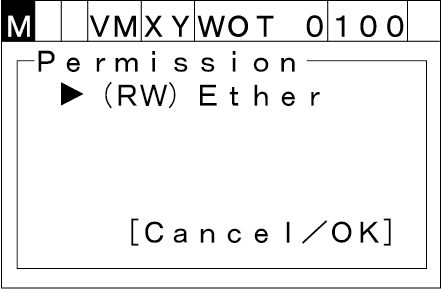
Choose [Permit] with the up and down cursor keys and then press [OK]. The Permission screen appears as shown below.
(X): Not permitted
(R): Only read permitted
(RW): Read/write permitted
To abort setting, press [Cancel].
3
Choose [Ether] then press [OK]. "Communication option list" shown below appears.
To abort setting, press [Cancel].
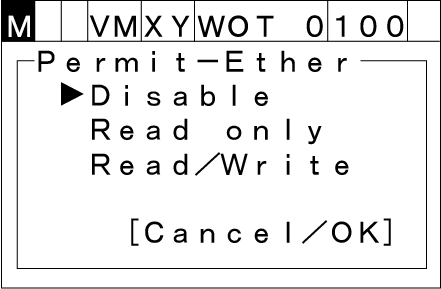
Choose any of "Disable", "Read only" and "Read/Write," and then press [OK] to establish the new setting.
To cancel the new setting, press [Cancel].
ID : 9946