
 HOME
HOME
ID : 9947
Setting DHCP
Key
[COM] ([SHIFT]+[HALT])

Operation
1
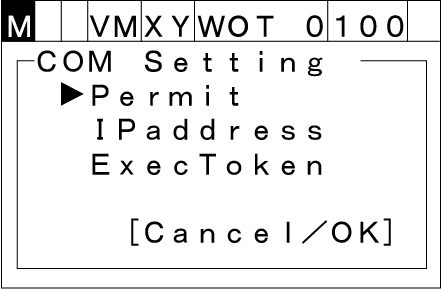
Press [COM] to call up the "COM Setting" screen shown below which lists communications settings for the robot controller.
2
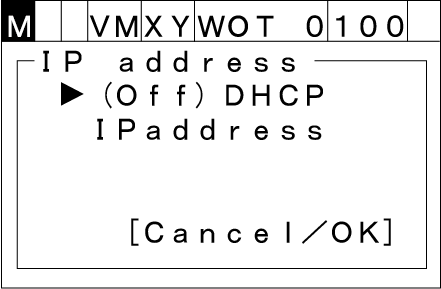
Choose [IP address] with the up and down cursor keys and then press [OK]. IP address setting screen appears as shown below.
To abort setting, press [Cancel].
3
Choose [DHCP] with the up and down cursor keys then press [OK]. "DHCP setting screen" appears as shown below.
To abort setting, press [Cancel].
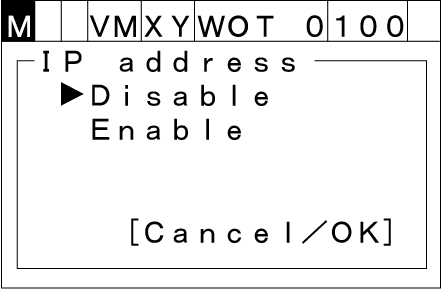
Choose desired state of DHCP("Disable" or "Enable") with the up and down cursor keys then press [OK] to change DHCP setting.
To abort setting, press [Cancel].
ID : 9947