
 HOME
HOME
ID : 9958
Beep Sound Setting at the Vicinity of the Singular Point
Operation Path
[AUX] - [Maintnanc] - [SnglrBzz]
Operation Procedures
Turn on (sound) or off (mute) the beep sound which sounds when the robot passes through the vicinity of the singular point in Auto mode.
In the Manual mode or the Auto mode(when select program check option), beep sound is always ON regardless of this setting.
1
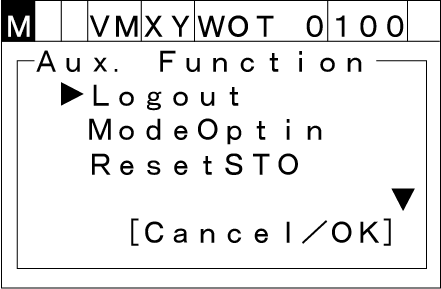
Press [AUX] to display [Aux. function].
2
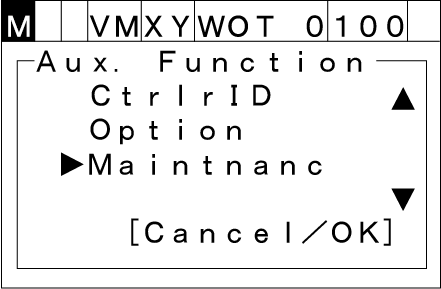
Select [Maintnanc] with the up and down arrow keys then press [OK].
3
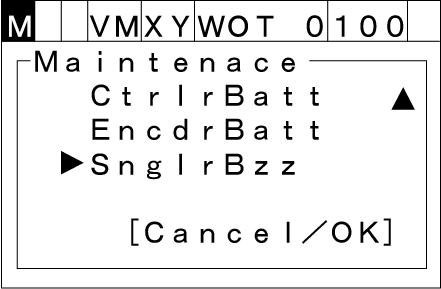
Select [SnglrBzz] then press [OK].
4
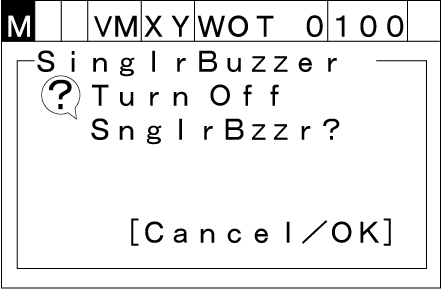
Pressing [OK] will confirm the setting.
To Turn ON the Beep Sound
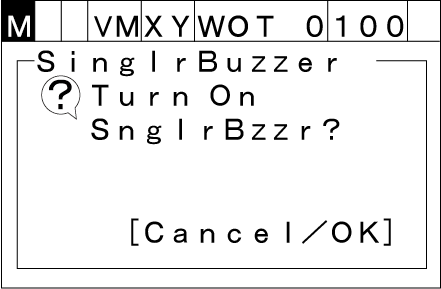
To Turn OFF the Beep Sound
ID : 9958