
 HOME
HOME
ID : 10563
How to Open the Front Panel
1
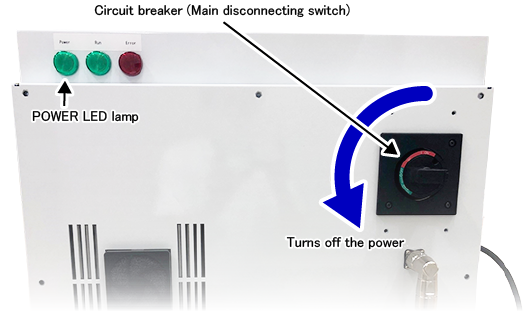
Turn off the robot controller.
Turn the circuit breaker (main disconnecting switch) anti-clockwise. Check if the POWER LED is off.
2
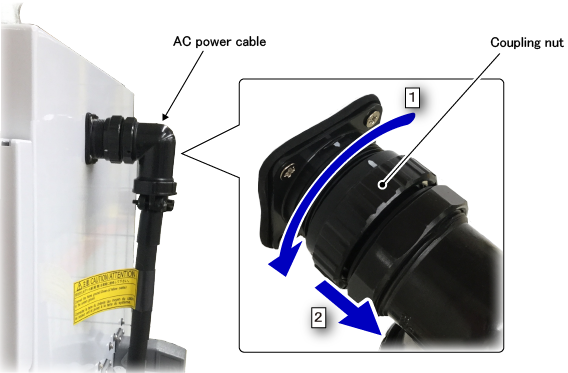
Remove the AC power cable.
- Turn the coupling nut anti-clockwise.
- Pull out the connector of the AC power cable.
3
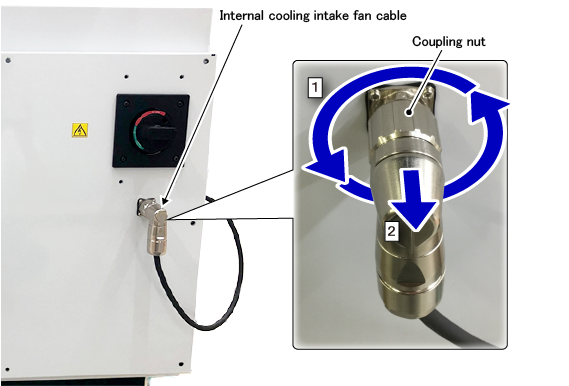
Remove the internal cooling intake fan cable.
- Turn the coupling nut anti-clockwise several times.
- Pull out the connector of the internal cooling intake fan cable.
4
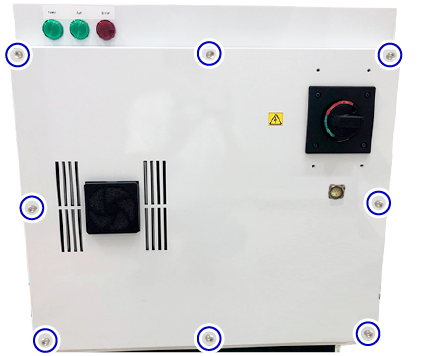
Remove the front panel fixing bolts with a hex key.
5
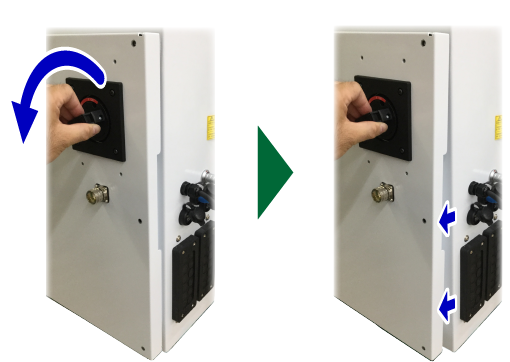
Turn the circuit breaker (main disconnecting switch) anti-clockwise. The front panel will open slightly.
6
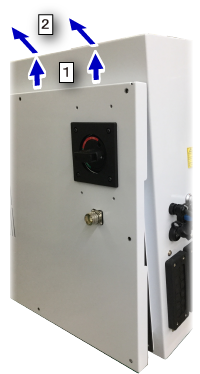
- Slightly move the front panel upward.
- Slowly move the front panel to the front side and take the panel out.
This completes the operation.
ID : 10563