
 HOME
HOME
ID : 10572
Step Start
Run the program by one step each in order to check the robot motion.
Mini-pendant executes this command in Auto mode (when the program check option is selected).
Operation
1
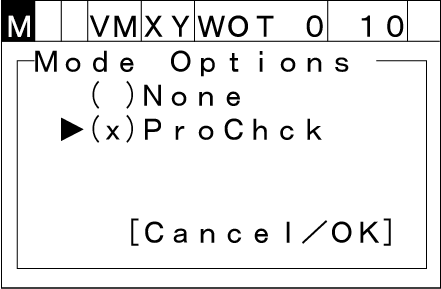
In the [Mode options] window, confirm that the check mark is displayed for [Prochck].
2
Set the mode selector switch to [AUTO].
3
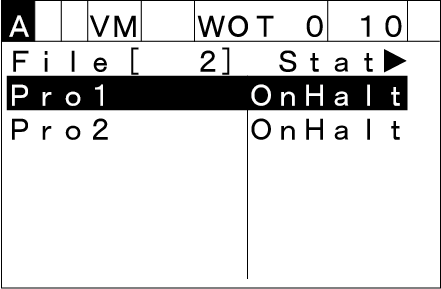
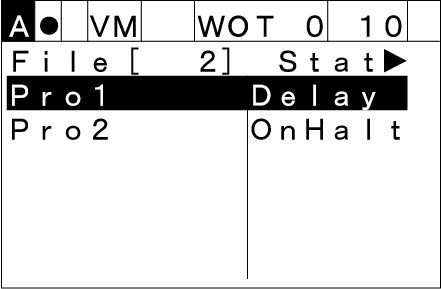
Press the [PROGRAM] key. The following [Program list] will be displayed.
Select the program to start with the up and down cursor keys.
4
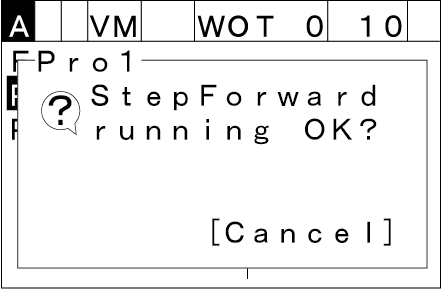
Press the [STEP START] key. The following [Step start] window will be displayed.
5
With keep pressing down the enabling switch, press [OK].
One step start of the program is executed. Keep pressing both the enabling switch and [OK] until the program execution completes.
6
If you release either one of the enabling switch and [OK], then the robot running by programs will immediately stop.
If you want to stop the current robot motion immediately, press [STEP STOP],[CYCLE STOP] or [HALT].
ID : 10572