
 HOME
HOME
ID : 10575
Login
To operate the mini-pendant, you need to log in.
Login Procedure
1
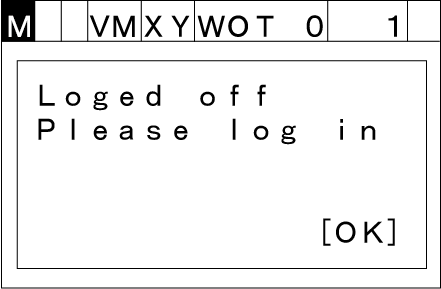
Press [OK] in the logout state.
2
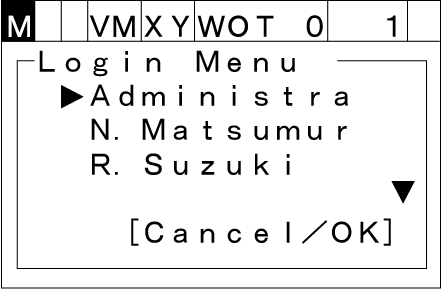
Select an account by pressing the up and down cursor keys.
When you login first time, use the default account .
3
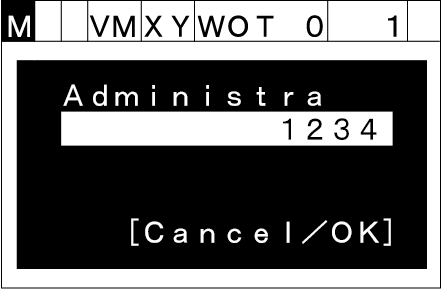
Enter a password with the numeric keypad.
4
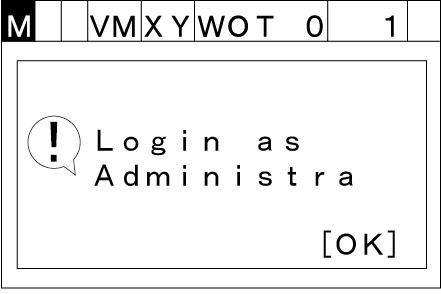
Press [OK]. If the password is correct, you can log in.
Account Management
With the mini-pendant, you cannot add, delete or change the account. To manage the account, use WINCAPSIII or WINCAPSIII Light.
For details, see "User Account Management".
Default Account
When logging in for the first time, set a password for the default account.
If you forget the password, you will not be able to log in. Do not forget the new password.
The following are the user ID and user permission of the default account
| Account name | User permission |
|---|---|
| Administrator |
|
ID : 10575