
 HOME
HOME
ID : 10714
Setting Robot Installation Condition
The optimum operating conditions differ depending on the robot installation location.
As the factory default, the robot is set to floor-mount. If you change the installation condition, you need to change the installation settings.
Changing Robot Installation Condition
With the smart TP, change the configuration.
Operation path : [F2 Arm] - [F6 Aux] - [F1 Config]
1
Press [F1 Config] to display the following [Config] window.
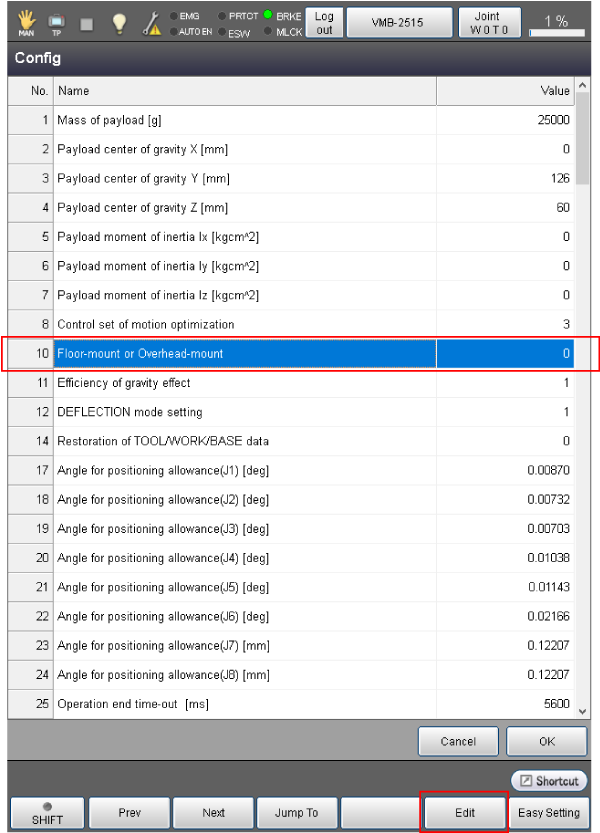
Select [Floor-mount or Overhead-mount], and press [Edit].
2
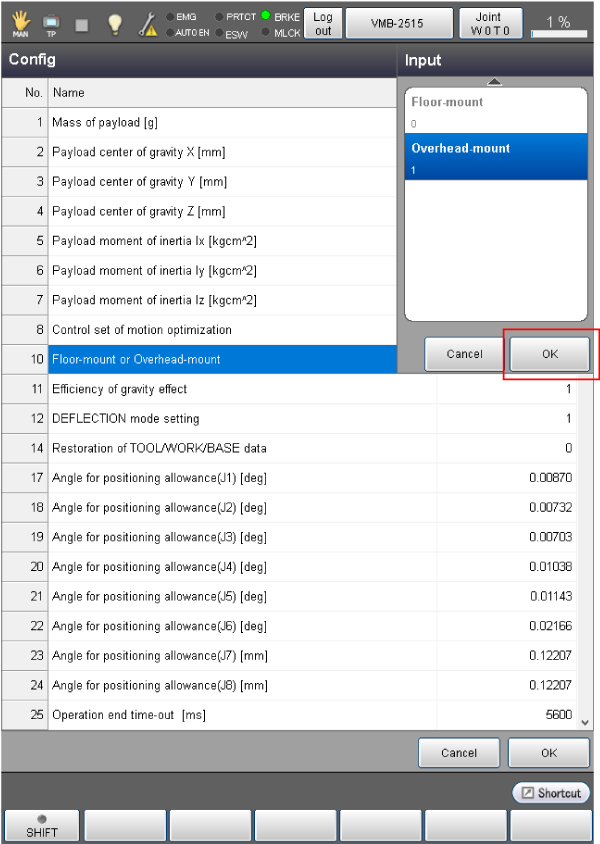
The [Input] window is displayed. Select the installation condition, and press [OK].
3
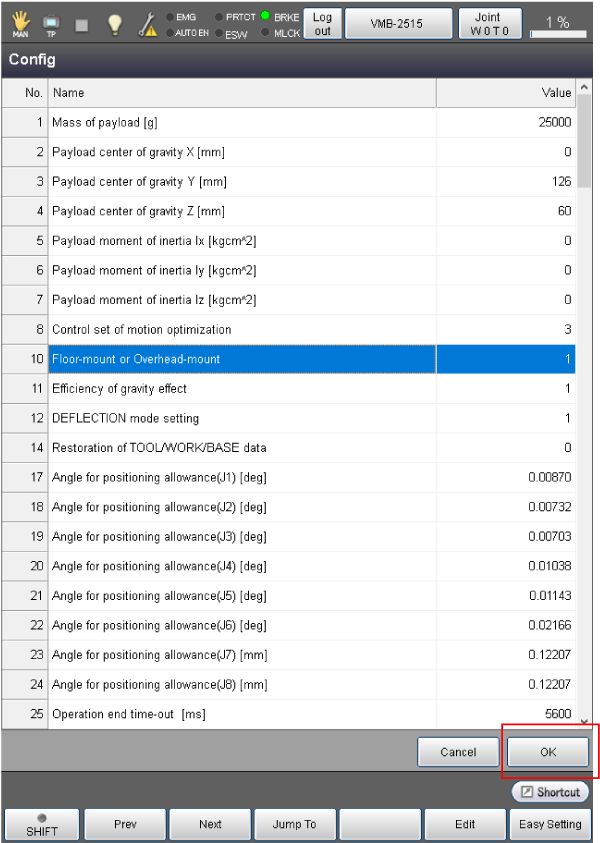
Confirm that the value is changed in the [Config] window, and press [OK].
ID : 10714