
 HOME
HOME
ID : 10891
Master Setting
Obtaining an GSD File
If you perform master configuration using an GSD file, obtain the GSD file and load it into the network configurator software in the following way.
GSD file is stored in a robot controller. When WINCAPSIII receives "I/O" data from a robot controller, the data is stored in the project folder of WINCAPSIII. The following shows the destination folder path.
- GSD filename and its location
| Folder Path | ...\"Project Name"\Data\Controller\IO\Profibus\ |
|---|---|
| File Name | EL6731-0.gsd |
Setting Input/Output Modules
After loading a general-purpose GSDML file, set input/output modules with the configurator.
Procedure
1
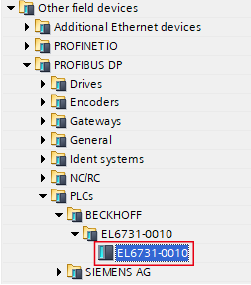
Select “EL6731-0010” from several devices.
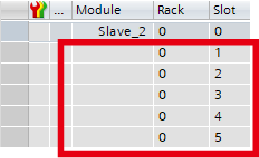
Module configuration slots are empty.
2
From “Byte modules” list, drag a byte number that you want to set and drop to an empty slot.
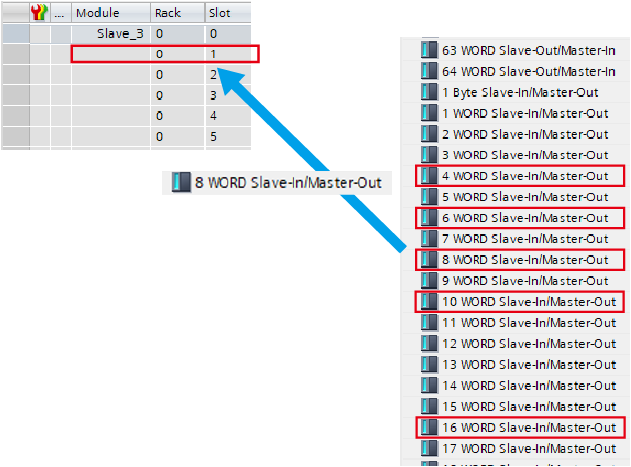
Modules to be added to input/output can be selected from the below.
Number of input/output bytes (byte) |
Number of words (word) |
|---|---|
| 8 | 4 |
| 12 | 6 |
| 16 | 8 |
| 20 | 10 |
| 32 | 16 |
4
In the same way, add the number of input bytes.
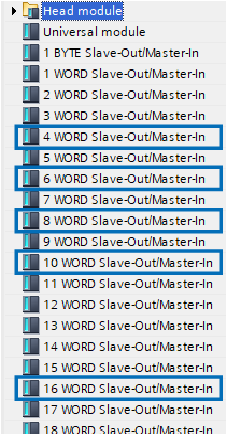
Setting example
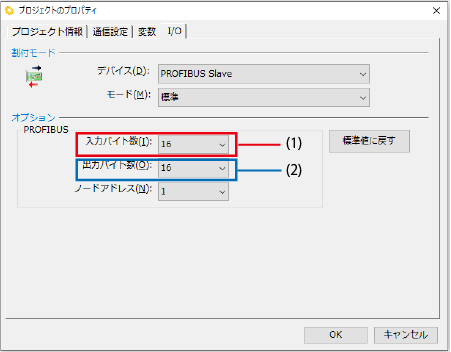
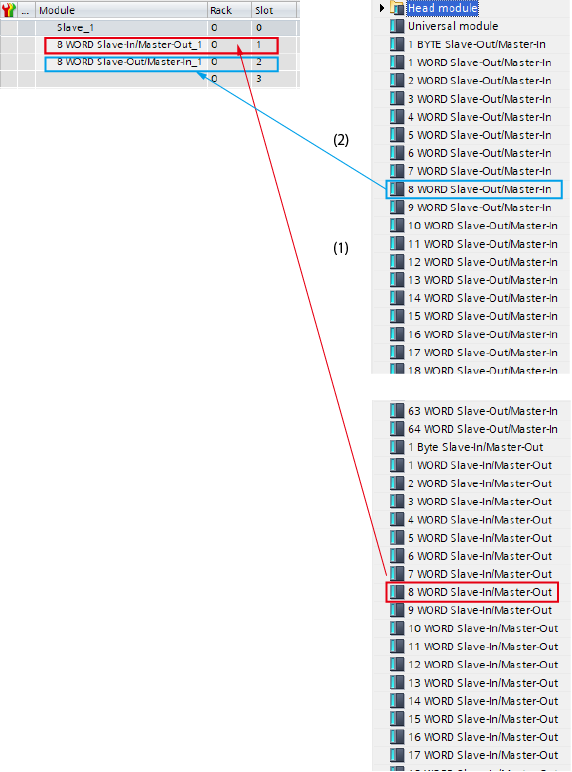
The following example shows when setting 16-byte for each input/output. Add the 8-word module for both input/output.
WINCAPSIII setting
Configurator setting
ID : 10891