
 HOME
HOME
ID : 10934
Displaying the Joint Motion Direction
Window
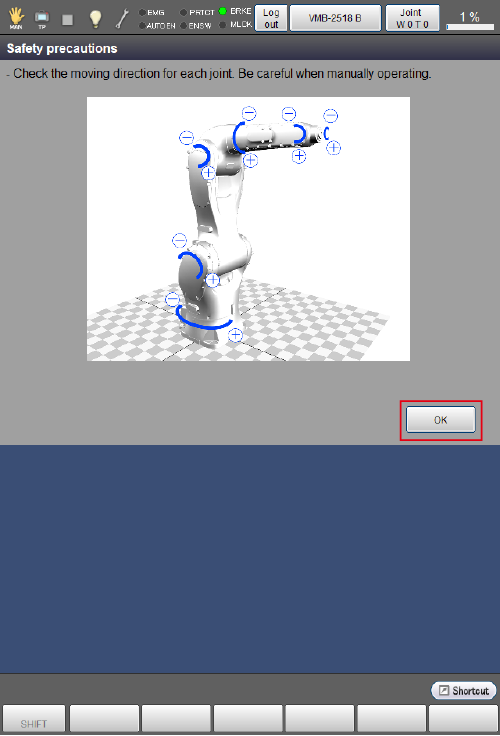
When the controller is turned on, at first, the “Safety precautions” window that shows each robot joint motion direction is displayed. Some robots have different joint motion directions, so check motion directions of each joint in this window to use a robot safely.
When you press [OK], it switches to the login window.
The following figure is an example of the VMB robot.
In the VMB robot, this window is displayed in Ver.1.1.* or higher.
ID : 10934