
 HOME
HOME
ID : 10945
Master Setting
Obtaining an ESI File
If you perform master configuration using an ESI file, obtain the ESI file and load it into the network configurator software in the following way.
ESI file is stored in a robot controller. When WINCAPSIII receives "I/O" data from a robot controller, the data is stored in the project folder of WINCAPSIII. The following shows the destination folder path.
- ESI file name and its location
| Folder Path | ...\"Project Name"\Data\Controller\IO\EtherCAT\ |
|---|---|
| File Name | Beckhoff EL66xx.xml |
Obtaining the Input/Output Size
At the time of loading the ESI file, the input/output size of RC9 is not set.
By obtaining the PDO information from the device with the network configurator software, the input/output size is set.
PDO Assignment
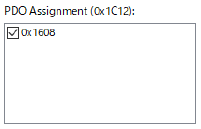
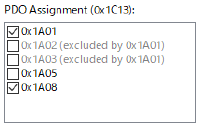
PDO mapping of input/output is as shown in the below.
Output
|
Default size (Byte) |
Name | Description | Remarks | |
|---|---|---|---|---|
| 0x1608 | 0 | IO Outputs | PDO mapping of declared output process data |
Input
|
Default size (Byte) |
Name | Description | Remarks | |
|---|---|---|---|---|
| 0x1A01 | 2 | SYNC Inputs | External synchronization | (Note 1) |
| 0x1A05 | 2 | FOE Info | FoE information | (Note 2) |
| 0x1A08 | 0 | IO Inputs | PDO mapping of declared input process data |
(Note 1) Although this is selected, this item is not in IO allocation of RC9, so this is not used for communication with RC9.
(Note 2) Not selected.
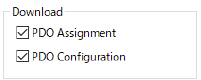
Download (EtherCAT option function)
When loading the ESI file, if the check box of the download item is selected, the input/output size can be set by loading the PDO information.
|
Operation procedure
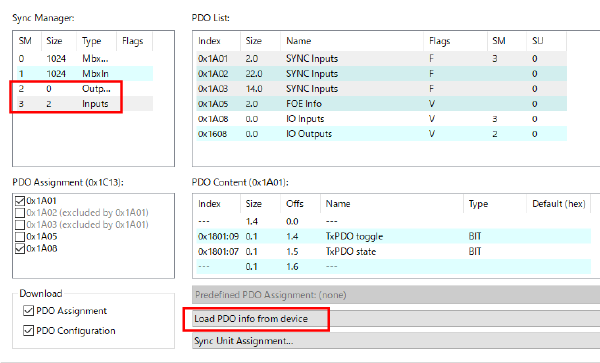
By obtaining the PDO information in the following procedure, the input/output size is set.
In this procedure, we describes when setting input/output size of RC9 to 32-Byte for each with an example using BECKHOFF TwinCAT XAE.
1
Both input and output are 0-Byte right after loading the ESI file.
| Outputs size display | 0 Byte |
|---|---|
| Inputs size display | 2 Byte |
(Note) 2-Byte of “external synchronization” that is not used for communication with RC9 is included in Inputs size display.
2
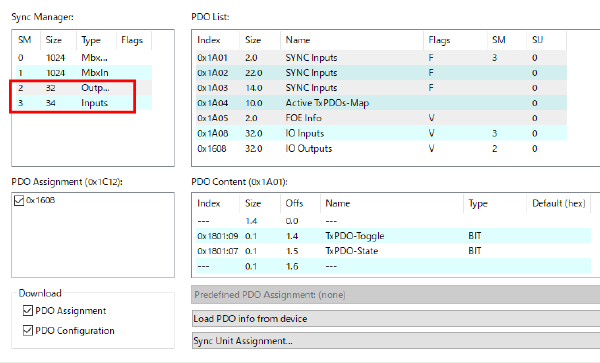
Click “Load PDO info from device”.
3
The input/output size is set.
| Outputs size display | 32 Byte |
|---|---|
| Inputs size display | 34 Byte |
(Note) 2-Byte of “external synchronization” that is not used for communication with RC9 is included in Inputs size.
ID : 10945