
 HOME
HOME
ID : 10996
Enable the Robot Arms
After setting up auxiliary axes, enable the robot arms to run the robot arm motors.
- Be sure to restart the RC9 robot controller if you have changed the EN/Disable Arm setting. Otherwise an encoder error may occur.
- When the robot arms are disabled, even turning on the motor power will not start the robot arm motors.
Setting Procedure
1
Operation path: Top screen - [F2 Arm] - [F12 Maintenance] - [F10 Joint Settings]
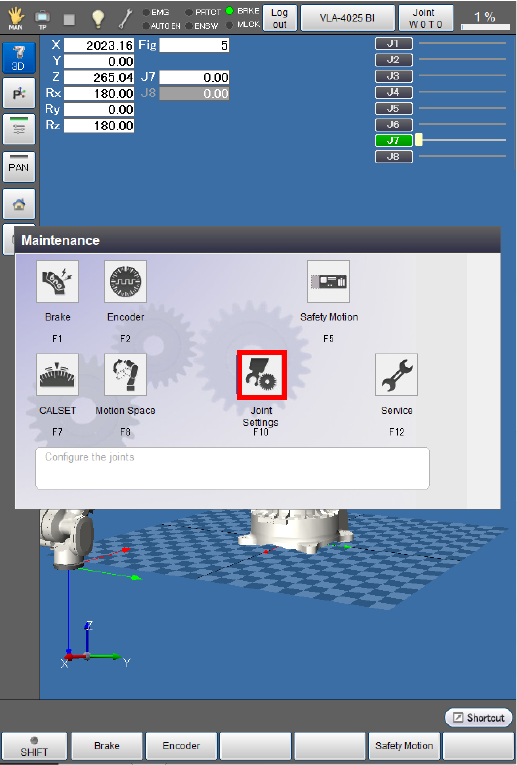
The [Joint Settings] screen appears.
2
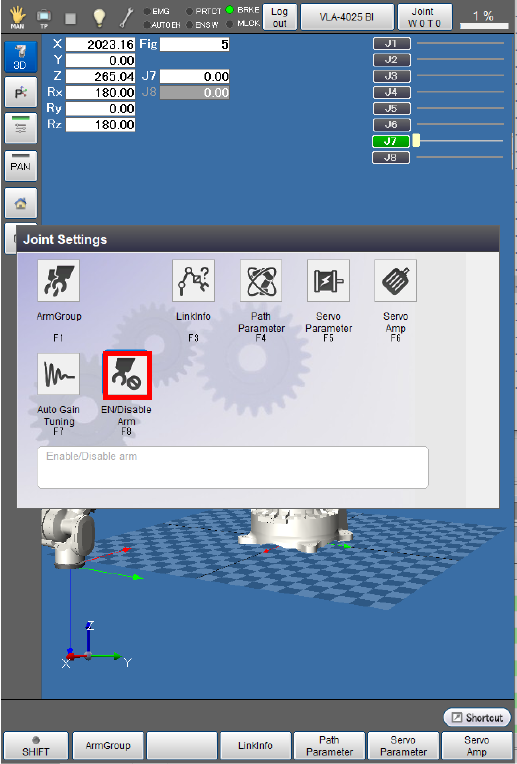
Press [F8 EN/Disable Arm].
3
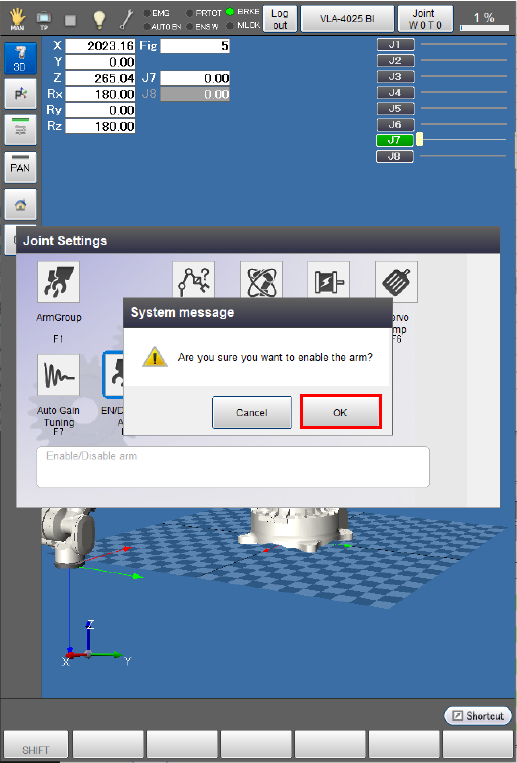
A system message appears to ask whether to enable the robot arms.
Press [OK] to enable the arms.
The robot arms are not enabled if [Cancel] is pressed.
4
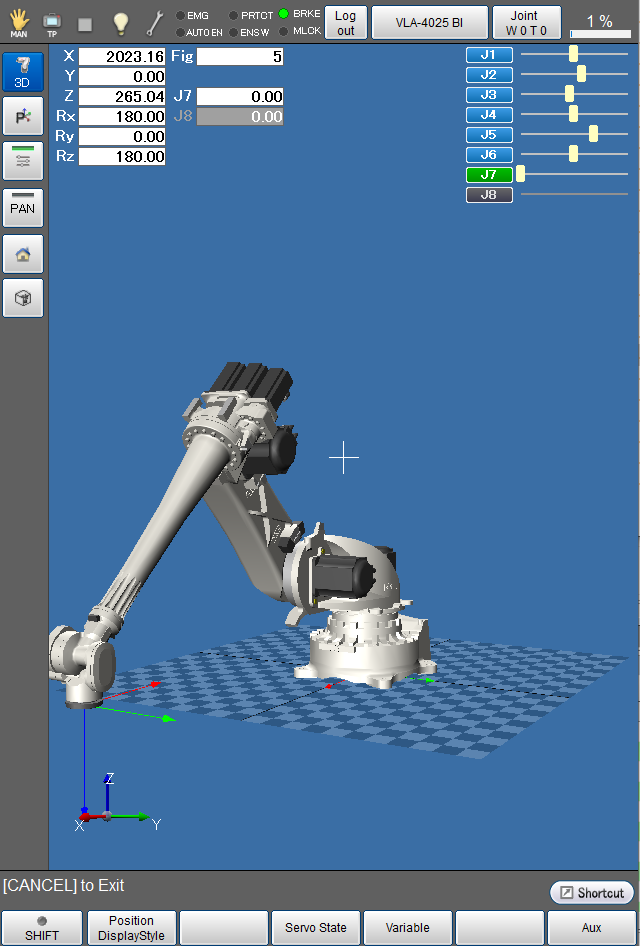
Check if the position information bars shown on the upper right of the “current robot position” window have turned blue, indicating that the robot arms are enabled.
ID : 10996