
 HOME
HOME
ID : 11104
Preparation of the Power Cable
To use the controller protective box (MC9), you need to treat the power cable so that the controller protective box (MC9) connects the controller-accompanied power cable.
The power supply of the controller protective box (MC9), unlike that of the controller, does not support 100V and 240V.
The following shows how to treat the cable and connector.
1
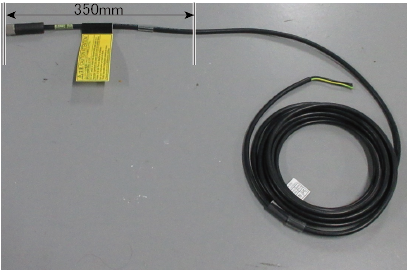
Cut the cable at a point about 350mm from the connector end.
2
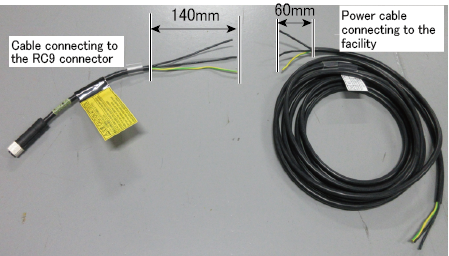
Remove the outer jacket of the cut cable to the following length from the end.
- MC9 connector side : 140mm
- Facility side (connector-not equipped side) : 60mm
3
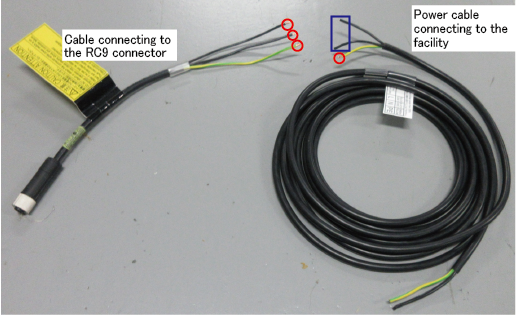
For the red-circle four lines below, remove the outer jacket 6mm from the end. After the removal, pass the each four lines through the insulating tube separately.
Do not remove the outer jacket of the blue-circled two wires.
Doing so may cause the poor contact.
4
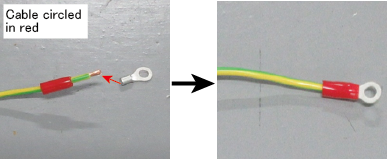
Connect a ring terminal to the wire where you have just prepared (outer jacket-removed and insulating tube-equipped wire), and then insulate the root of the respective terminal with the insulating tube.
5
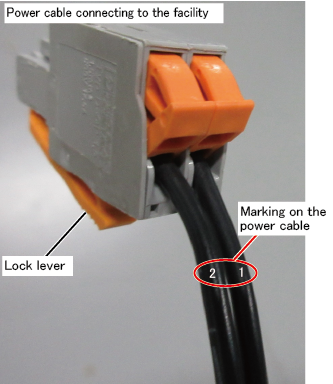
Insert the wire to the connector to the end.
Be sure to insert the cable marked "2" into the connector hole on the side with the orange lock lever.
6
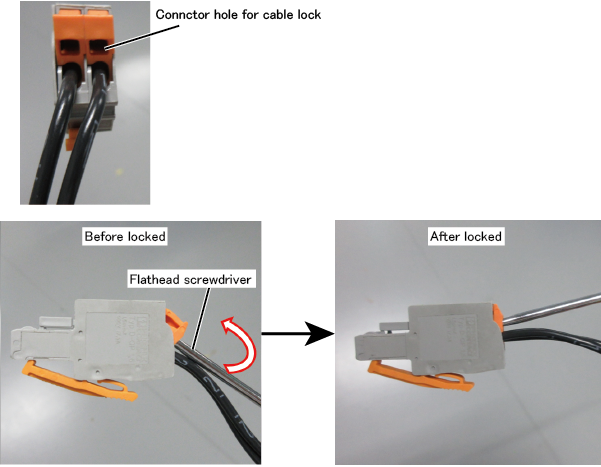
With a screwdriver, lock the cable to the connector.
-
Use a screwdriver with a tip width of 3.5 mm or less and a thickness of 0.6 mm or less. Otherwise, it may not be able to insert enough to the connector slot.
-
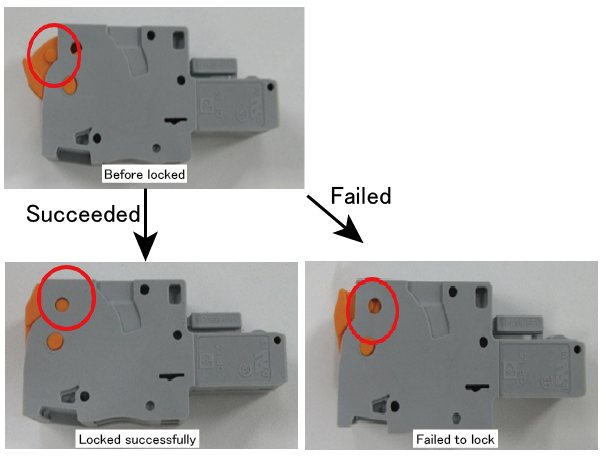
To avoid wires falling out, after locking the lever, check that the opening of the lock lever is [OK] state as the image shows.
ID : 11104