
 HOME
HOME
ID : 11126
External Force Following Control Function
This function is available in Ver.1.3.* or higher.
Overview
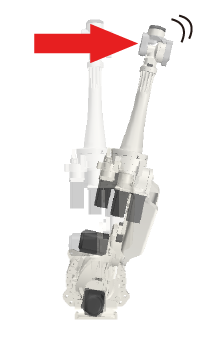
This external force following control function allows the robot or its equipped tool to be highly compliant to an external force while the robot stops operating.
The function protects the robot and its equipped tool from damage by reducing the external force applied to the tool or its held workpiece.
Compatible Robots
The function is available to the following robot models.
- VMB series robot
- VLA series robot
How to Use the Function
The following describes how to use the function. For details, refer to the following links.
1. Parameter Setting
Specify parameters for the external force following control function using the smart TP or WINCAPSIII.
2. Enable the External Force Following Control Function
Specify [Enable/Disable] using the ForceCtrl command.
Precautions
- The function can only deal with a force applied in one direction. The function cannot reduce the external forces applied in different directions, possibly damaging the workpiece.
- The external force following control function cannot be enabled while the following functions are enabled.
- Brake check function
- Torque check function
- Current limiting function
- The function below cannot be enabled while the external force following control function is enabled.
- High precision control
- Setting a high control force, low inertia, or low damping will cause the robot to operate fast. A collision with a workpiece during the high-speed operation causes an excessive force to the robot, leading to failure or causing damage to it. For safety during maintenance work, be sure to lower the rates of damping and inertia gradually from the default values. In addition, increase the force control rates gradually from a small value, and set to 0% the control rate for the direction to which you will not apply the external force following control.
- Although lowering the values of damping and inertia will make the external force-following motion smoother, this may cause the end of the robot arm to show vibrational motion. If this motion occurs, increase the values of damping and inertia.
- Increasing the values of damping and inertia will make the motion stiffer. If a strong external force is applied to the robot in this state, "Over-current error" or "Over-load error" may occur. In this case, lower the values of damping and inertia.
- If the external force following control function is enabled when the specified mass of payload is different from the actual value, the end of the robot arm may show vibrational motion.
ID : 11126