
 HOME
HOME
ID : 11270
Displaying and Changing the Force Control Screen
Operation path: [F2 Arm] - [F2 Force Control]
Displays the screen for monitoring the force control function.
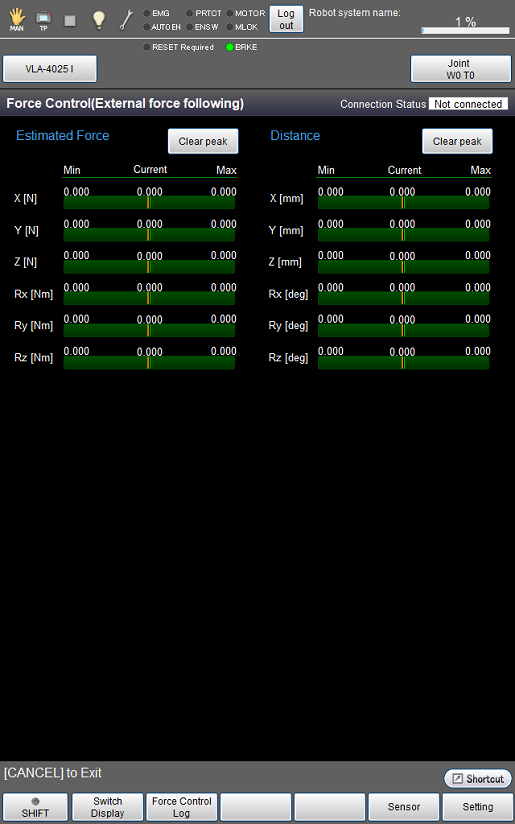
| Available function keys | |
|---|---|
| [F1 Switch Display] | Switches between the monitoring screen for "Force Control (Compliance with sensor)" and that for "Force Control (External force following)". |
| [F2 Force Control Log] | Obtains the logs of the travel distance command values of each axis, travel distance current values, arm end command values, arm end current values, and sensor values, and displays them with a graph. |
| [F5 Sensor] | Displays [Sensor Setting]. |
| [F6 Setting] | Displays the screen for setting the force control. |
| [F12 Detail setting] | Displays the screen for configuring the force control in detail. |
| Keys other than function keys | |
|---|---|
| [Clear peak] | Clears the peak value of each graph. |
ID : 11270
- Related Information
- Force Control Log