
 HOME
HOME
ID : 11293
What to Do After Using the Mirror Control Function
After using the Mirror Control function, perform the following for COBOTTA.
- EMGStop Confirm
- SLS Confirm
Operation path: [F6 Setting] - [F10 COBOTTA] - [F8 Master Control] - [F4 EMGStop Confirm] / [F5 SLS Confirm]
EMGStop Confirm
Before disabling the Master Control function, execute EMGStop Confirm.
1
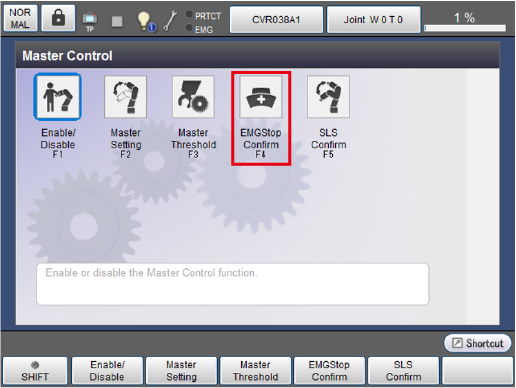
In the [Master Control] window, press [F4 EMGStop Confirm].
2
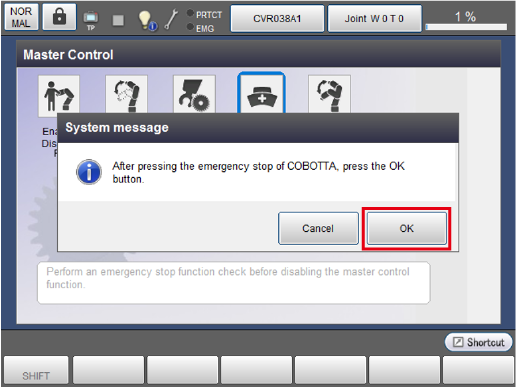
Press the Emergency Stop button for COBOTTA, and press [OK] in the system message.
3
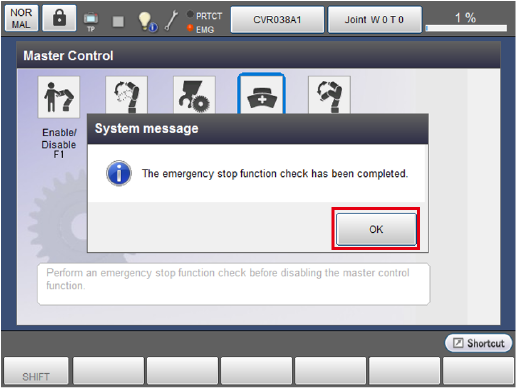
A confirmation message appears. Press [OK].
4
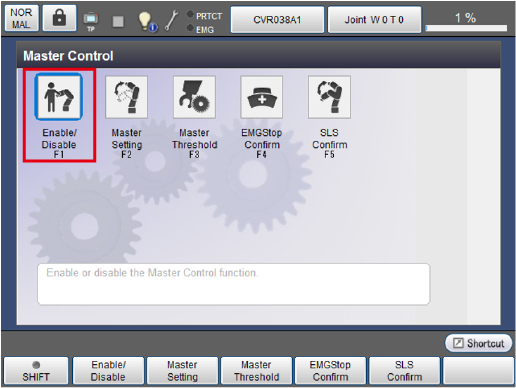
After executing EMGStop Confirm, disable Master Control.
In the [Master Control] window, press [F1 Enable/Disable].
5
A system message appears. Press [OK].

Next, execute SLS Confirm.
SLS Confirm
1
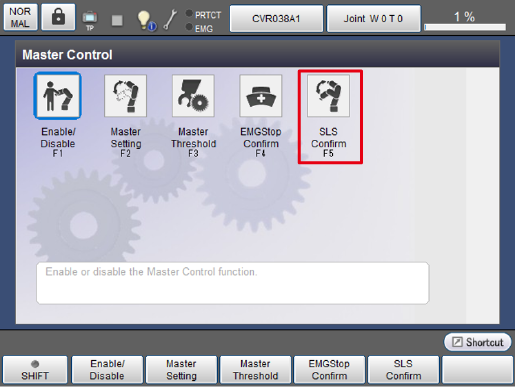
In the [Master Control] window, press [F5 SLS Confirm].
2
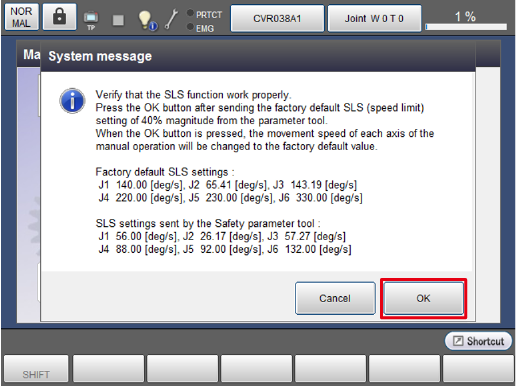
A system message appears. Send the SLS set values displayed on the message using the COBOTTA parameter tool, and then press [OK].
3
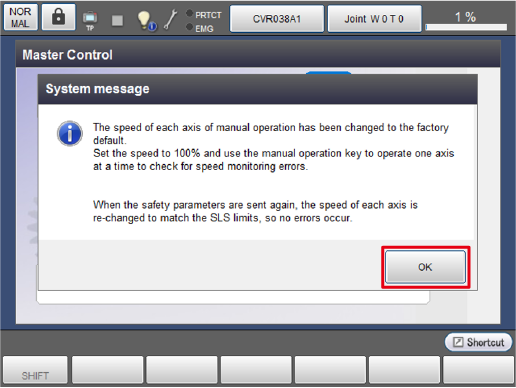
A confirmation message appears. Press [OK].
4
Set the external speed to 100% and operate all the axes of COBOTTA manually one by one to check if an over-speed error occurs. When checking for an error, move the axes by approximately the following angles.
| Axis | Angle |
|---|---|
| J1 | 20 deg |
| J2 | 20 deg |
| J3 | 30 deg |
| J4 | 35 deg |
| J5 | 90 deg |
| J6 | 270 deg |
After checking all the axes, send a speed monitoring threshold you want to set using the COBOTTA parameter tool.
This completes the procedure to follow after using the Mirror Control function.
ID : 11293