
 HOME
HOME
ID : 5560
Connection Setting between Robot Controller and Master Board
This section describes the way of connection settings between the robot controller and DeviceNet master board.
1
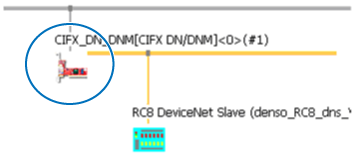
Double click CIFX DN/DNM icon of the DeviceNet master board which has been added in Software Setting for System Configuration.
2
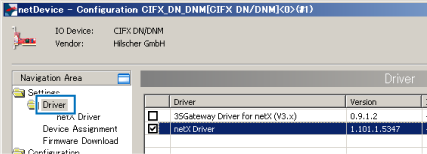
From the tree in the left side of the display, click [Setting] - [Driver], and then select the [netX Driver] checkbox.
3
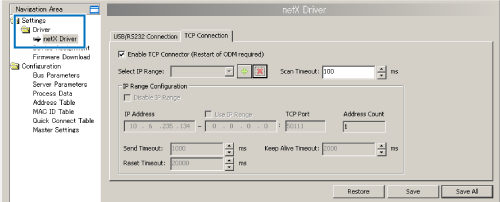
Click [Settings] – [Driver] – [netX Driver].
4
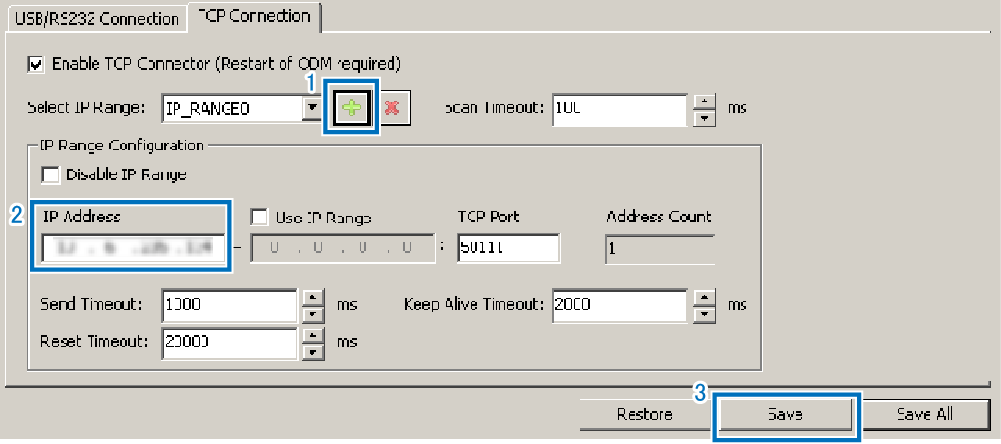
On the [TCP Connection] tab, click [+] button which is indicated by "1" in the image below, and then enter IP address in the box indicated by "2", and then click [Save] button indicated by"3".
5
From the tree in the left side of the display, click [Setting] - [Driver] - [Device Assignment].
You can see [CIFX50E-DN] or [CIFX] on the display and check it. Click [OK]. If you cannot see [CIFX50E-DN] or [CIFX] on the display, choose [all] from Device selection and click [Scan].
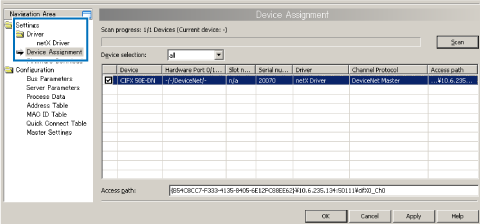
This completes the connection settings between the robot controller and DeviceNet master board.
ID : 5560